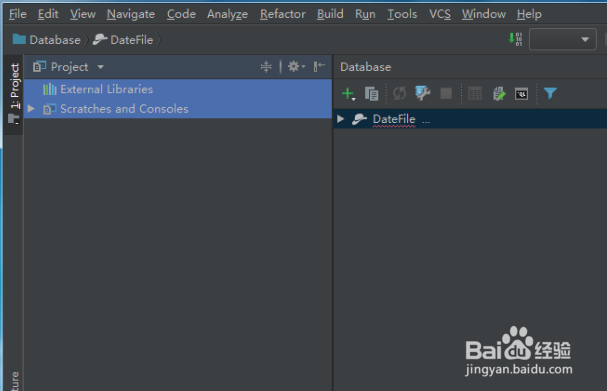
1、进度idea应用窗口,如图
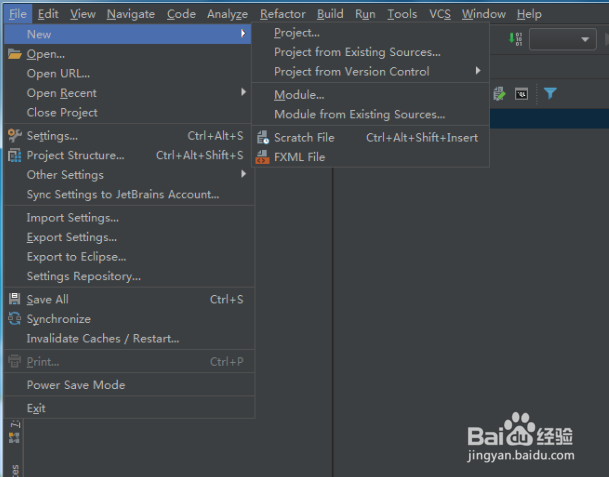
2、点下file,打开file列表选择创建项目,如图
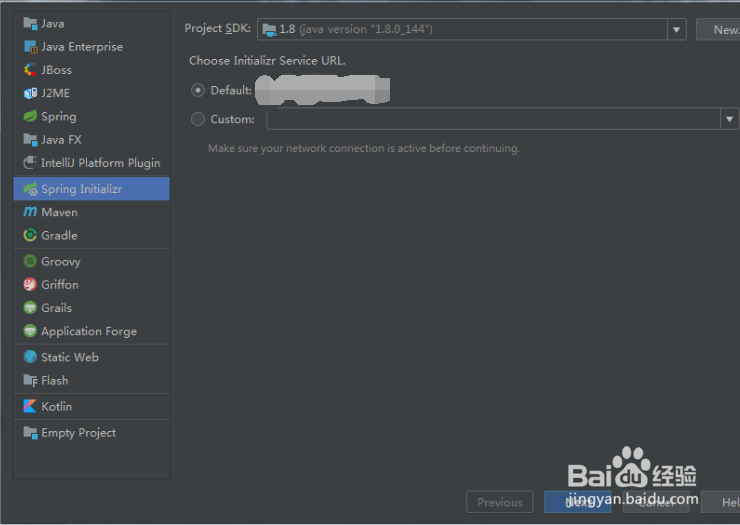
3、点下Project,进到new project窗口选择Spring Initializr,如图
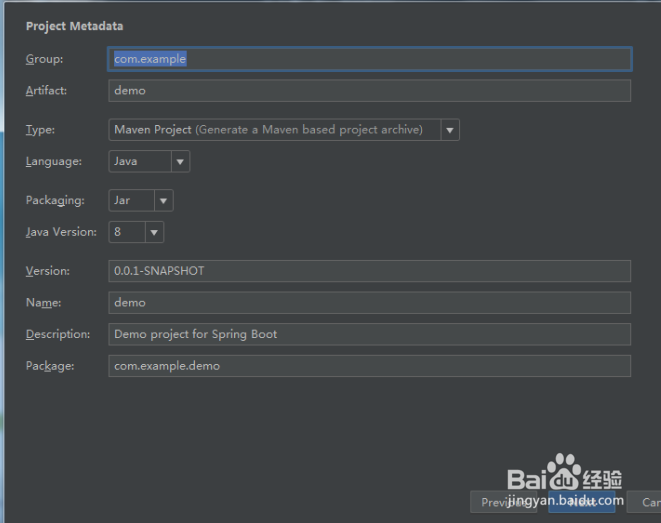
4、点下next,进到project metadata窗口完成窗口中的参数设置,如图
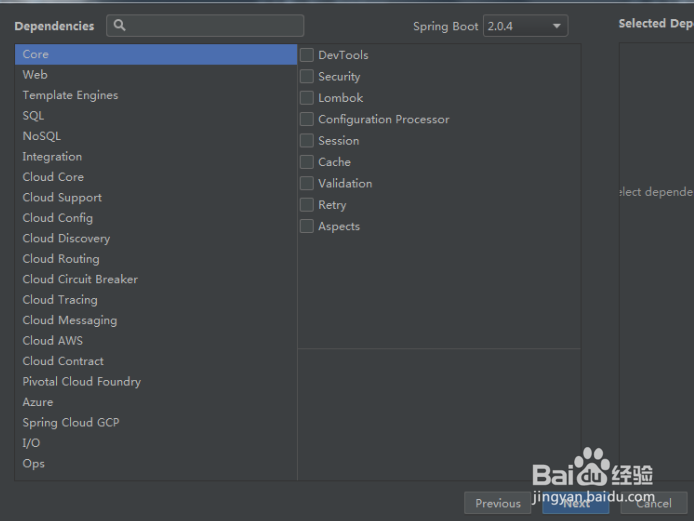
5、点下next,进到Dependencies窗口这里可以先不选择,如图
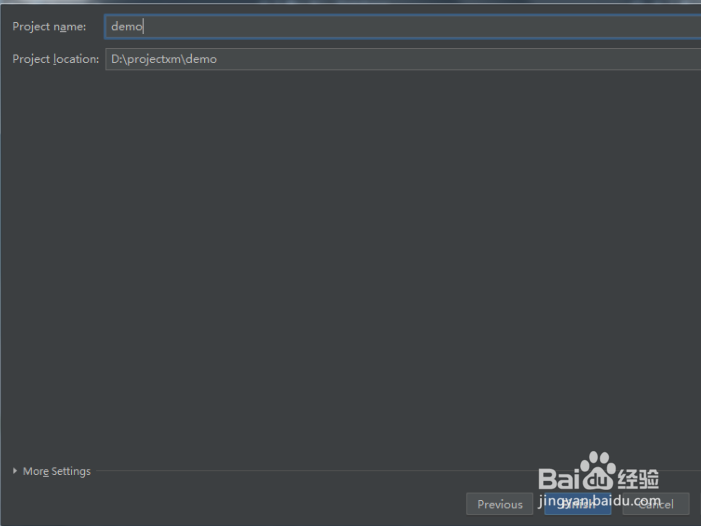
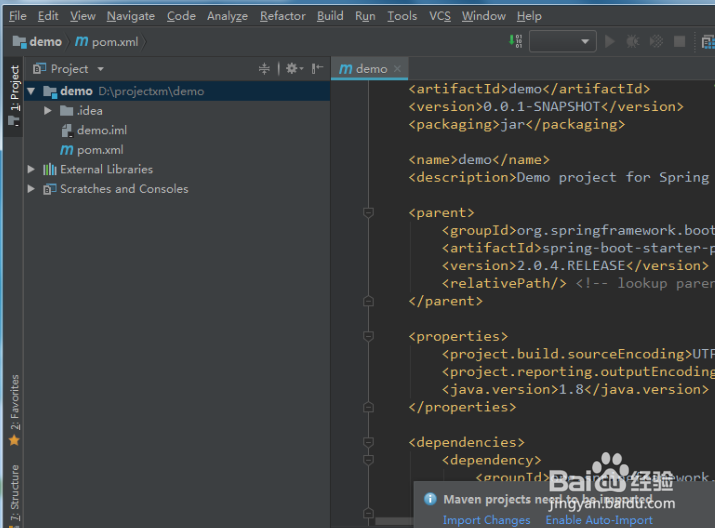
6、点下next进到项目名设置窗口,然后点想finish就完成springboot项目创建了,如图
1、进度idea应用窗口,如图
2、点下file,打开file列表选择创建项目,如图
3、点下Project,进到new project窗口选择Spring Initializr,如图
4、点下next,进到project metadata窗口完成窗口中的参数设置,如图
5、点下next,进到Dependencies窗口这里可以先不选择,如图
6、点下next进到项目名设置窗口,然后点想finish就完成springboot项目创建了,如图