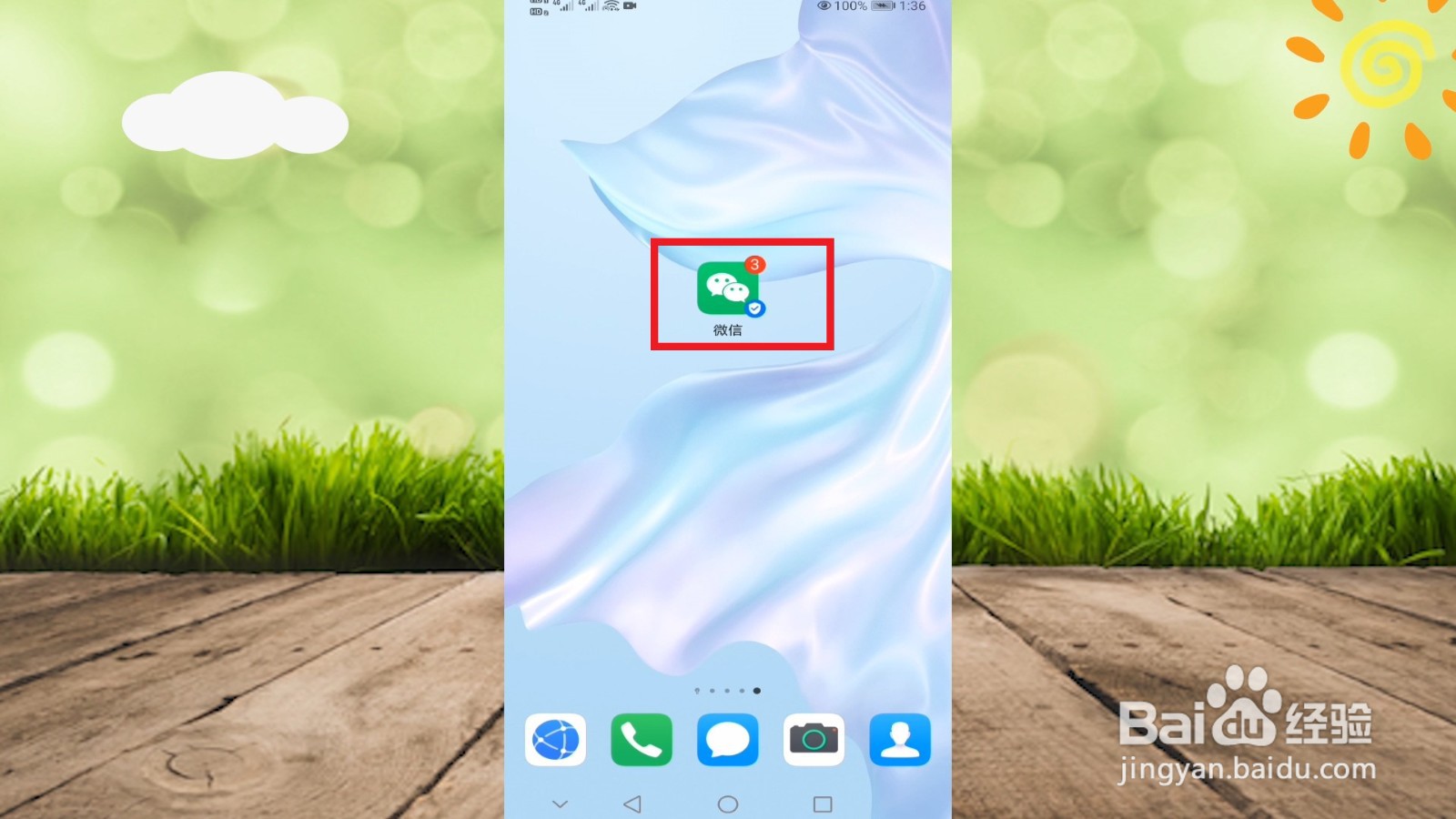
1、找到并进入“微信”
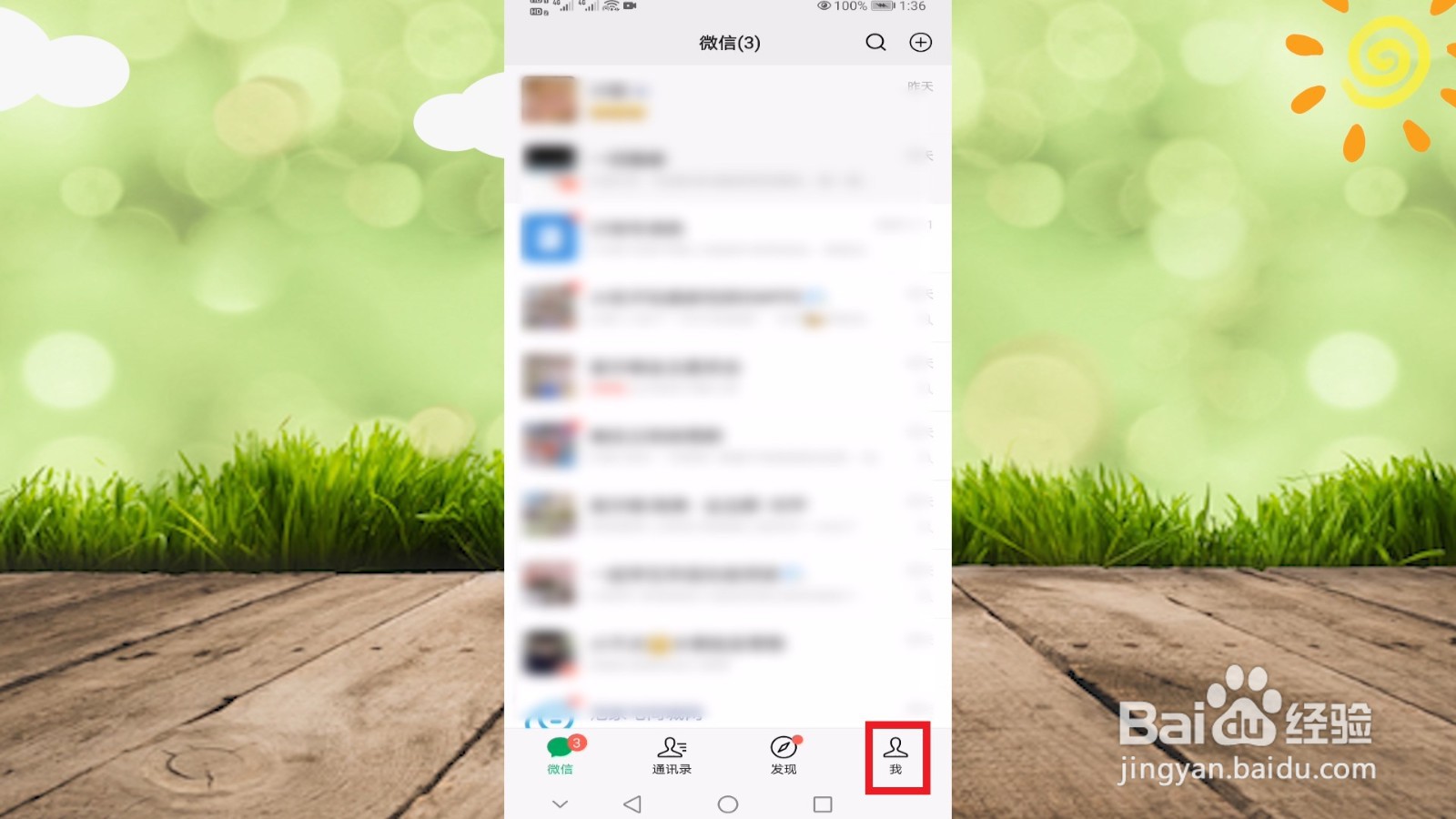
2、点击“我”
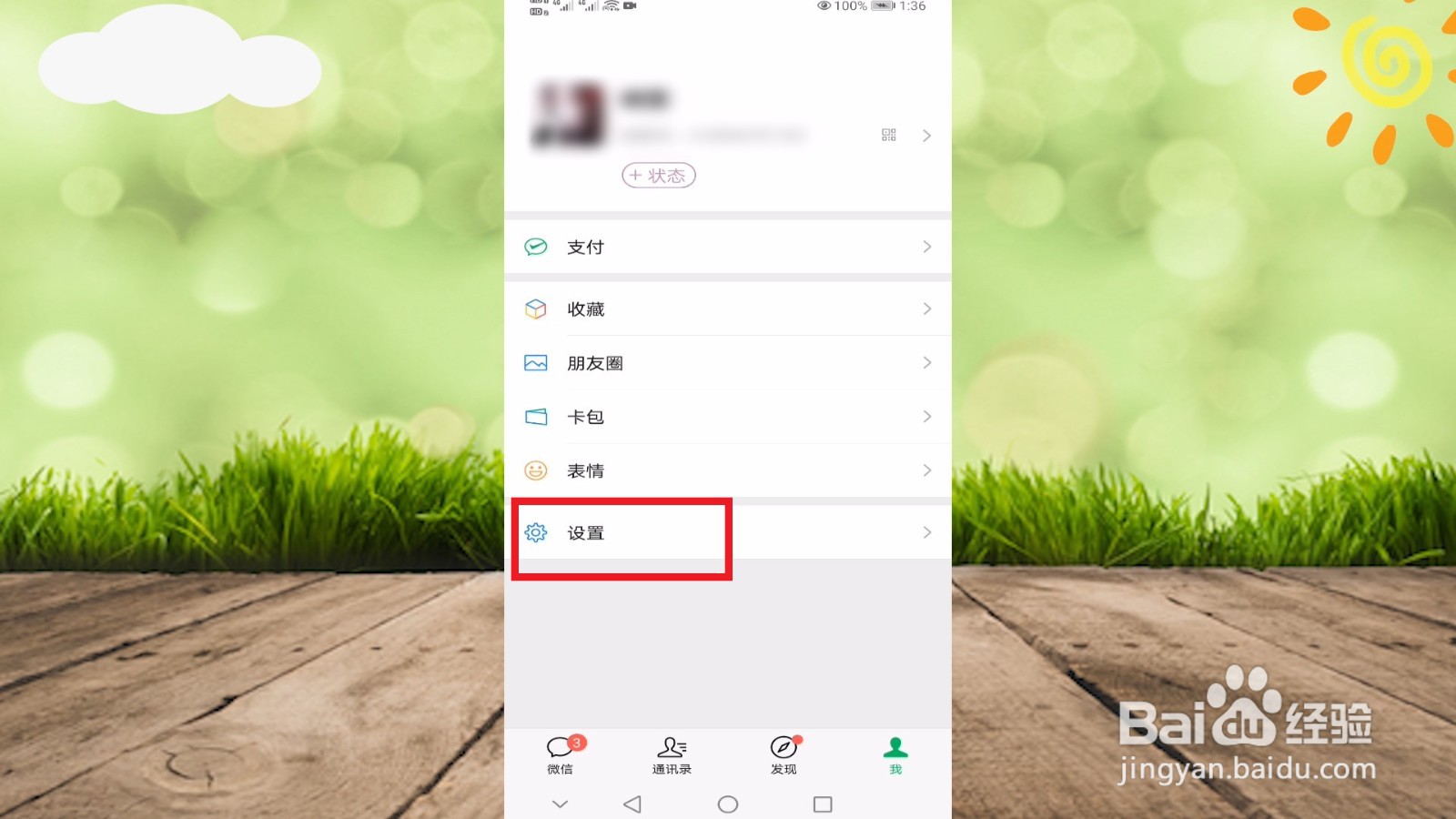
3、选择“设置”选项
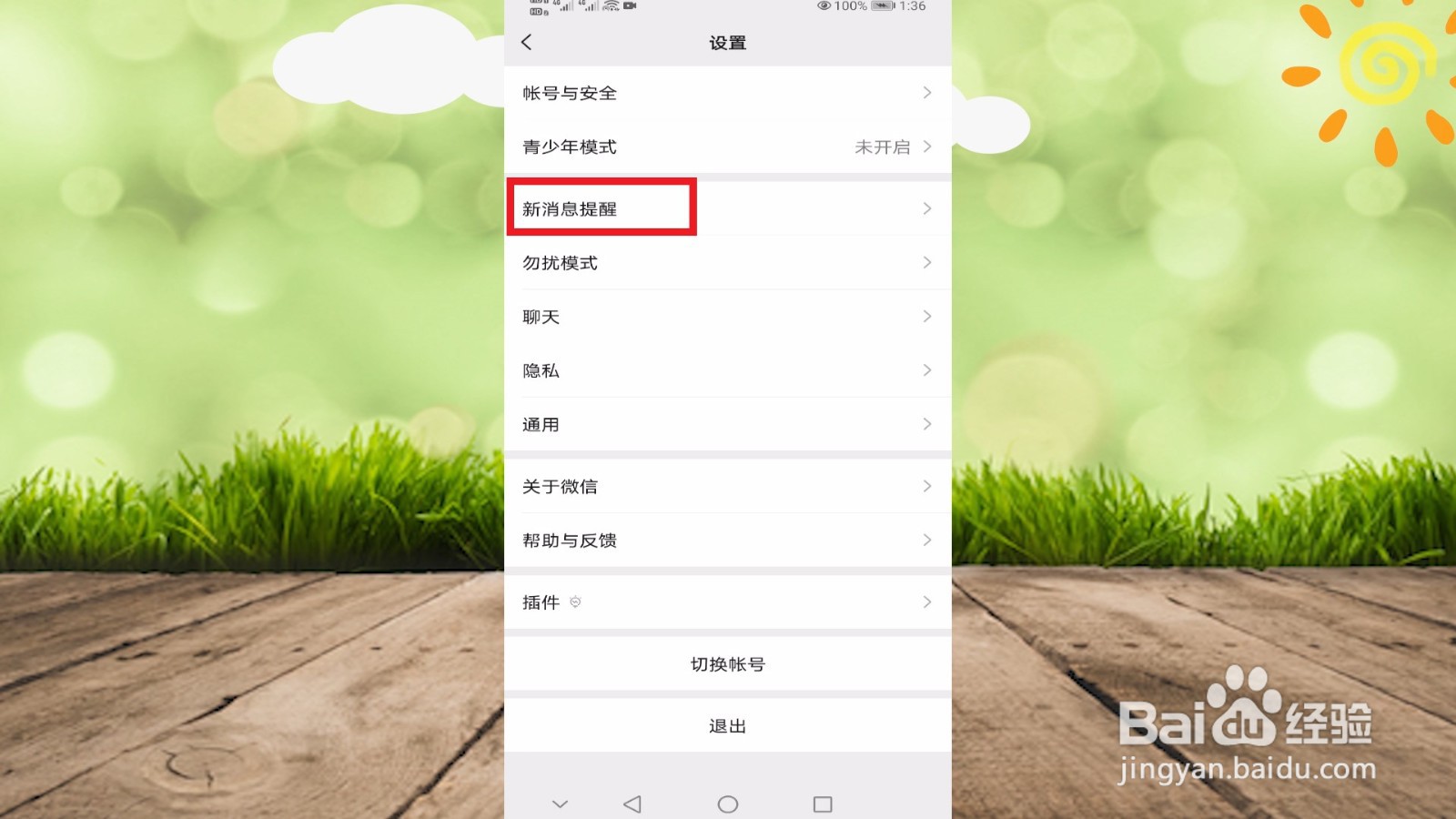
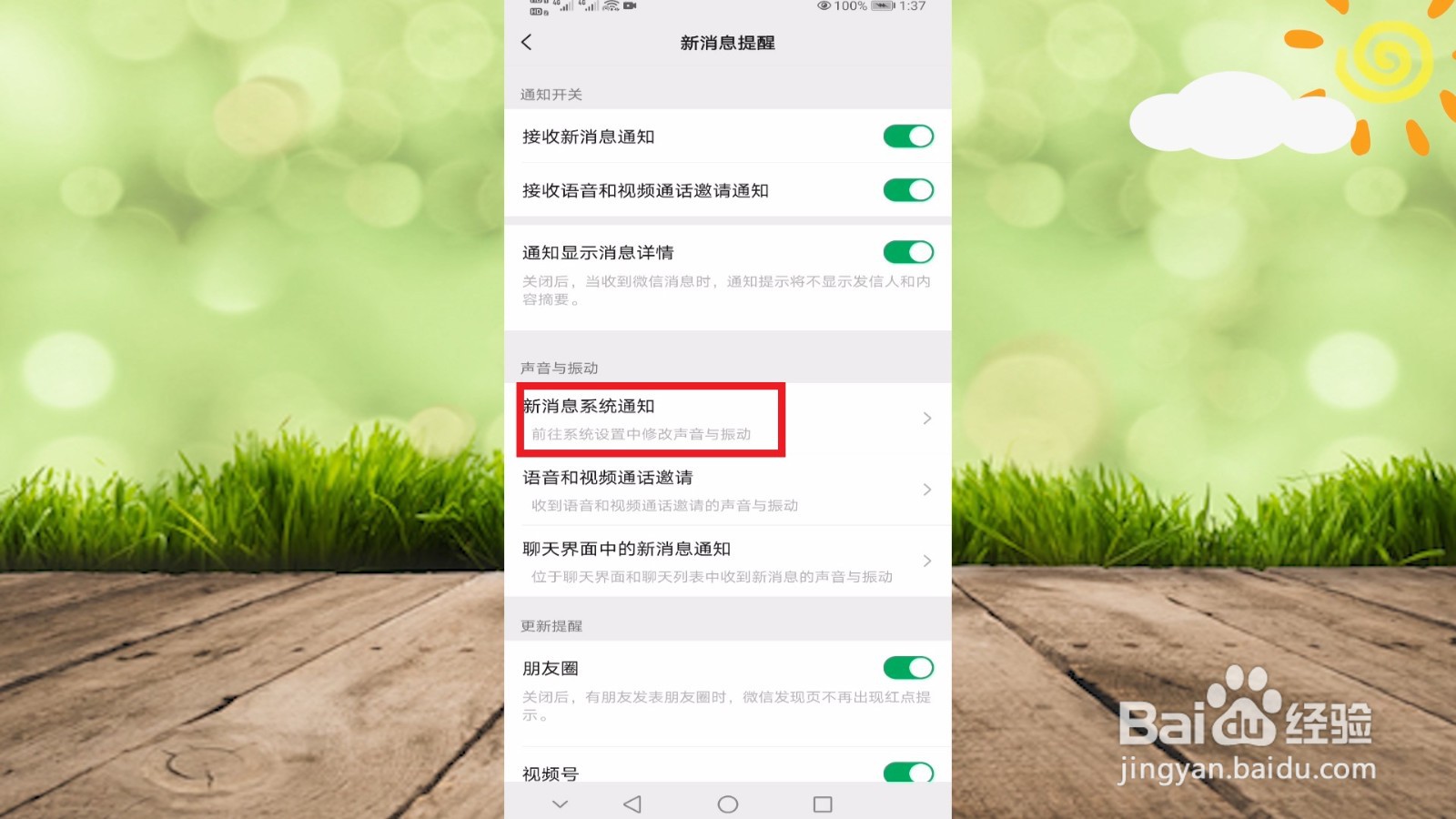
4、接着点击“新消息提醒”
5、选择“新消息系统通知”
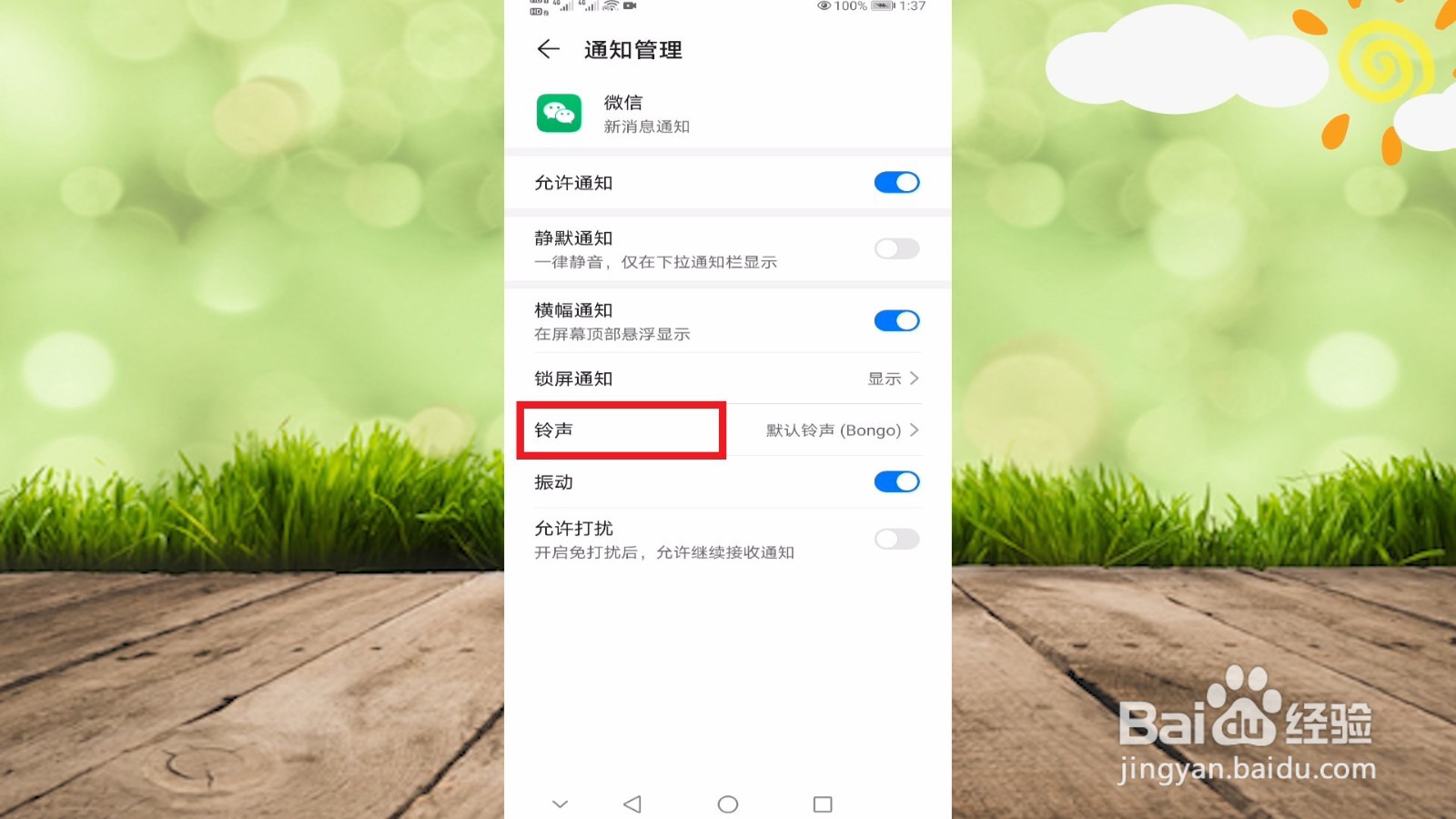
6、点击“铃声”
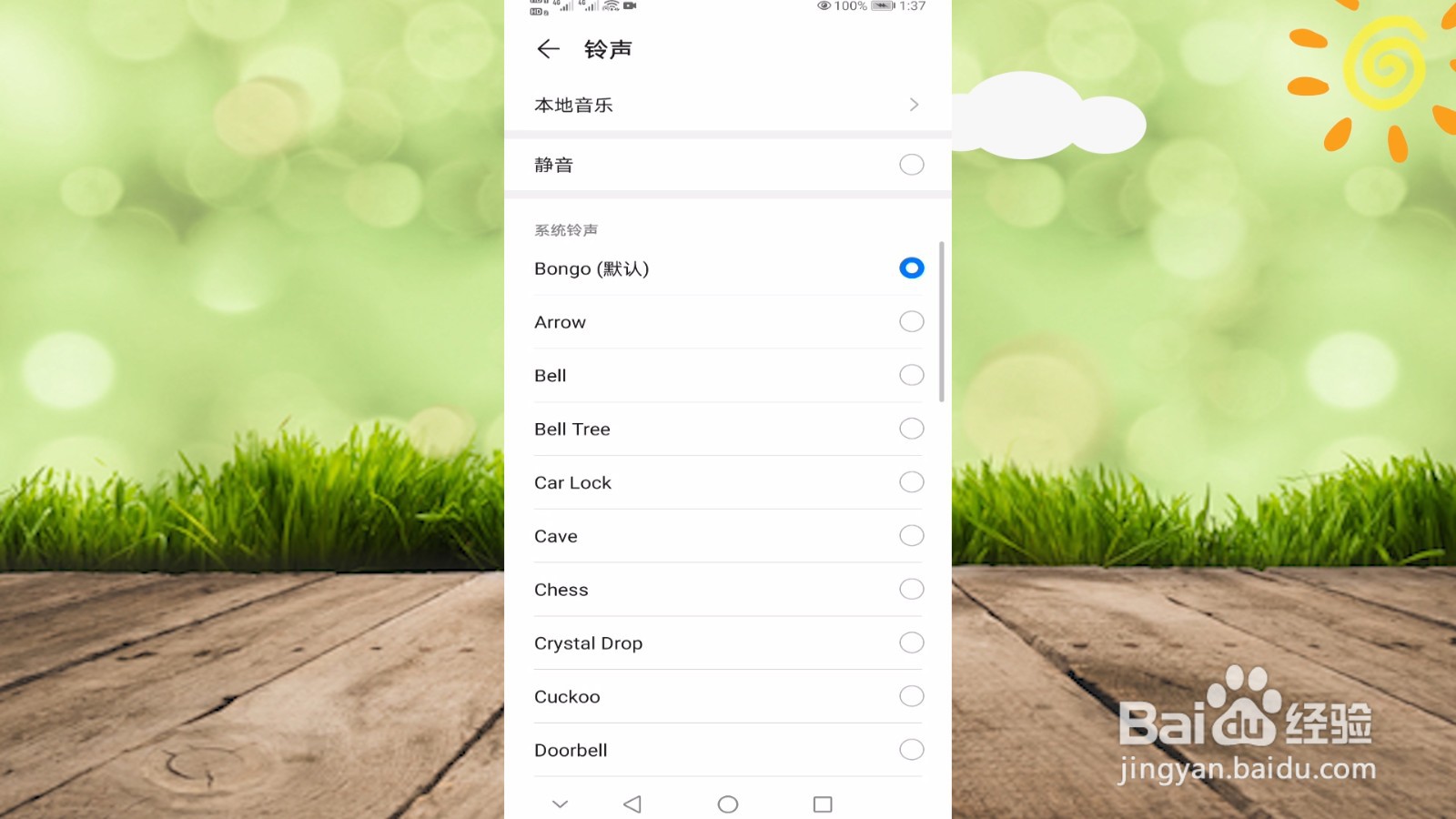
7、选择要更换的铃声
1、1.进入“微信”
2.点击“我”-“设置”-“新消息提醒”-“新消息系统通知”
3.点击“铃声”,选择要更换的铃声
1、找到并进入“微信”
2、点击“我”
3、选择“设置”选项
4、接着点击“新消息提醒”
5、选择“新消息系统通知”
6、点击“铃声”
7、选择要更换的铃声
1、1.进入“微信”
2.点击“我”-“设置”-“新消息提醒”-“新消息系统通知”
3.点击“铃声”,选择要更换的铃声