怎么在word文档中利用EndNote插入引用文献

时间:2026-02-14 02:31:40

1、首先打开word,找到EndNote加载项
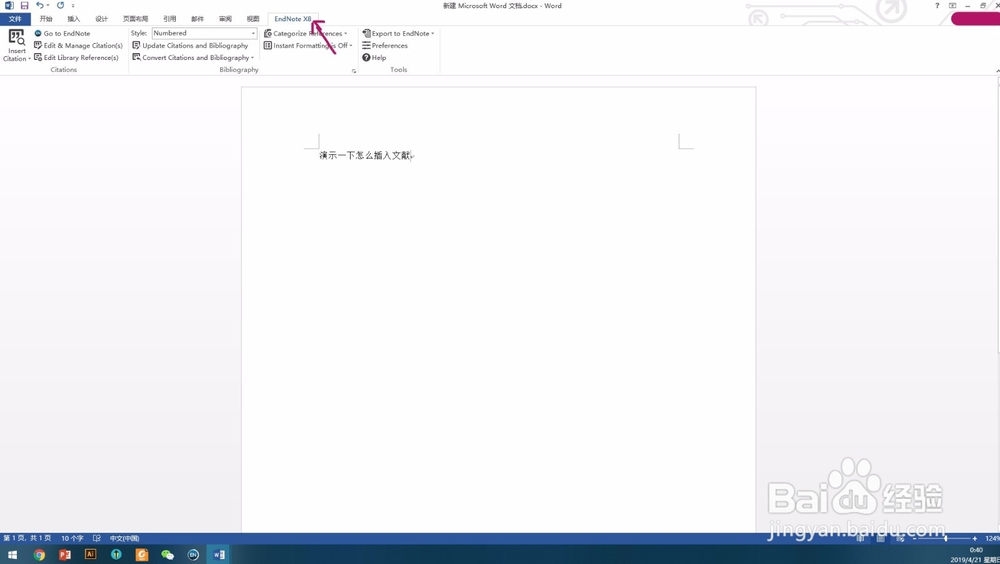
怎么在word文档中利用EndNote插入引用文献

2、点击“insert citation”第一项“insert citation”

怎么在word文档中利用EndNote插入引用文献

3、出现下面界面后,在搜索框中输入所要插入文献的标题(几个单词就可以了),点“find”,在搜索结果中找到目的文献选中它,再点击“insert”

怎么在word文档中利用EndNote插入引用文献

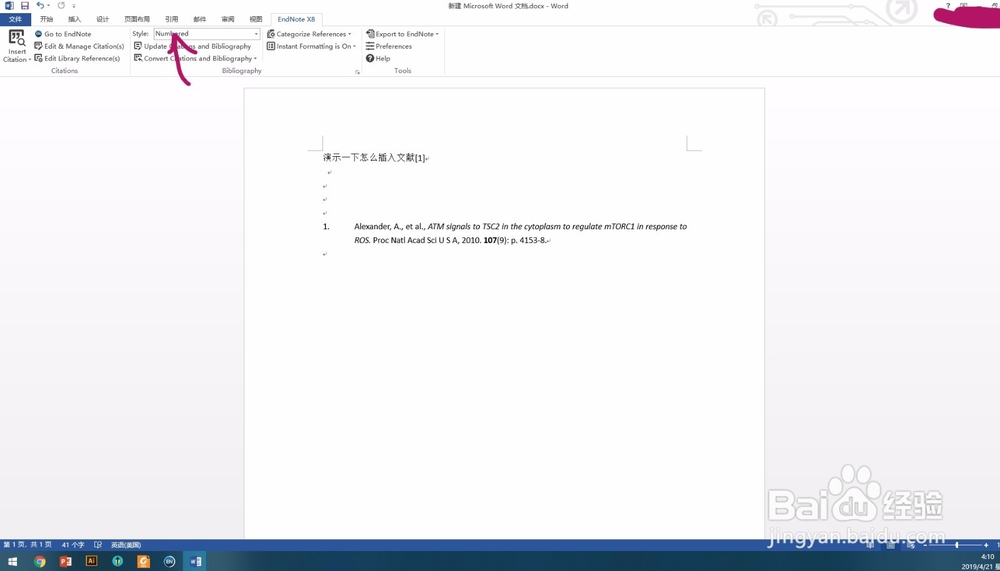
4、这样文献就插入成功了,在红箭头所指地方还可以调整文献的格式

怎么在word文档中利用EndNote插入引用文献

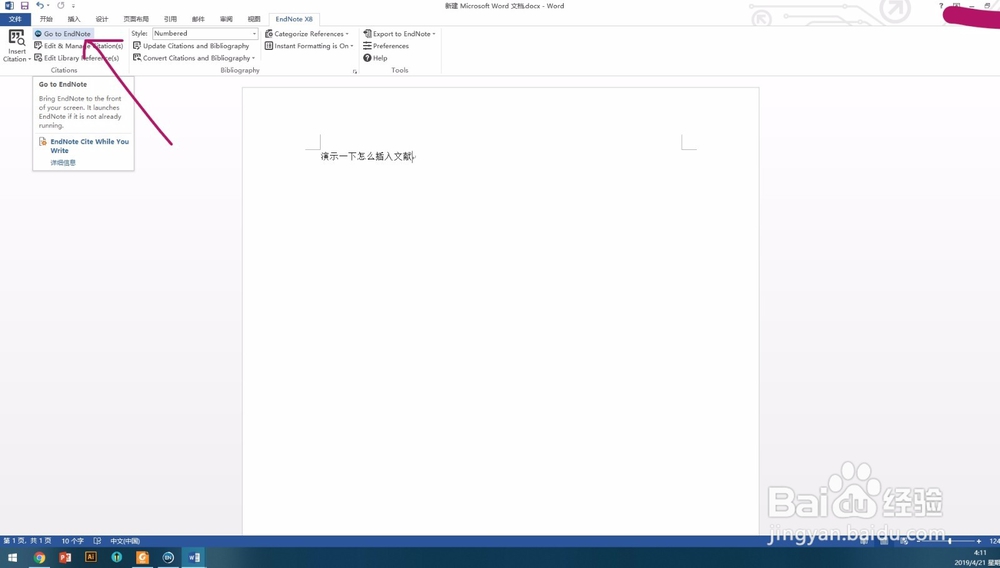
1、点击“Go to EndNote”跳转到endnote 界面

怎么在word文档中利用EndNote插入引用文献

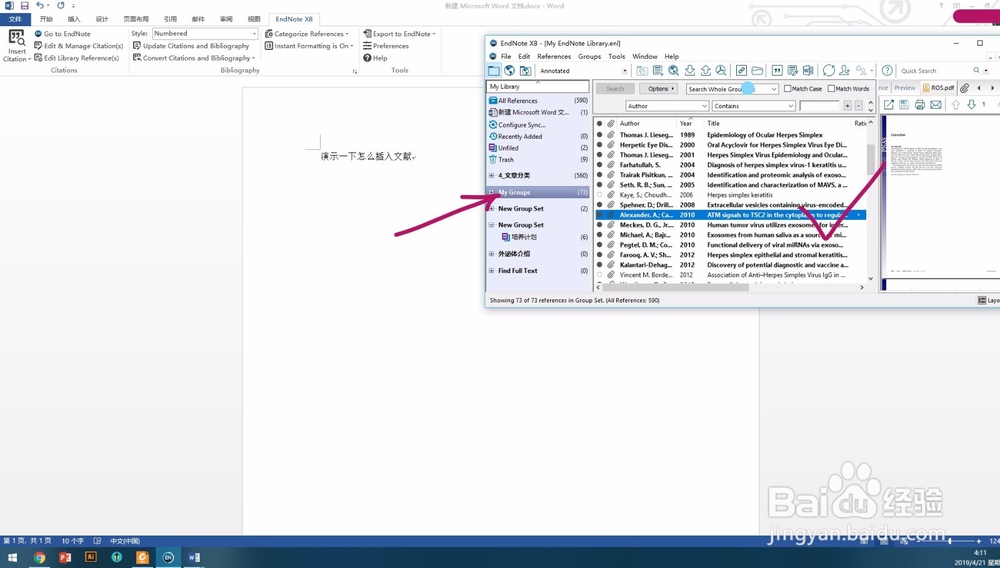
2、在自己放文献的地方选中目的文献

怎么在word文档中利用EndNote插入引用文献

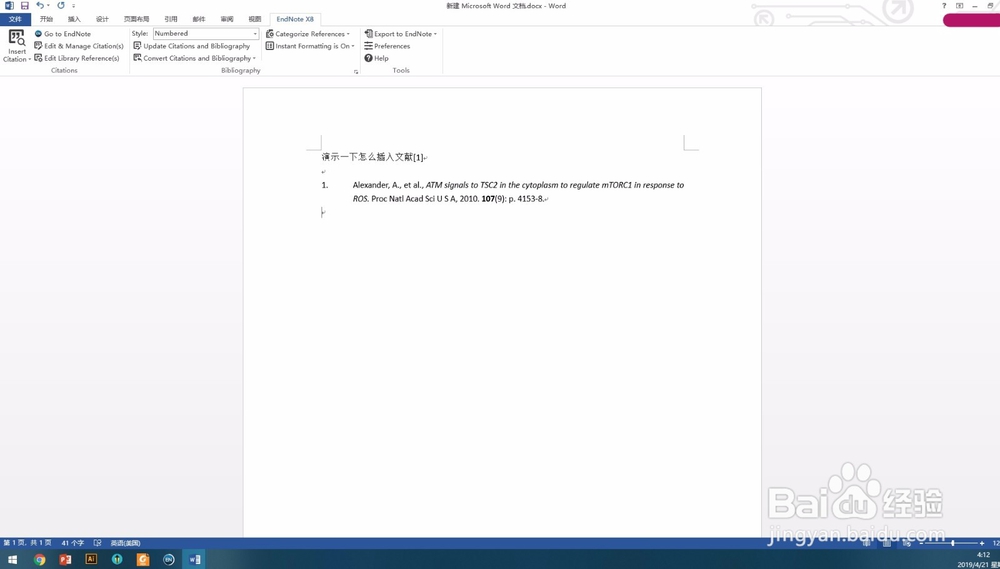
3、然后在word“inset citation”中选择“insert selected citation”效果是一样的
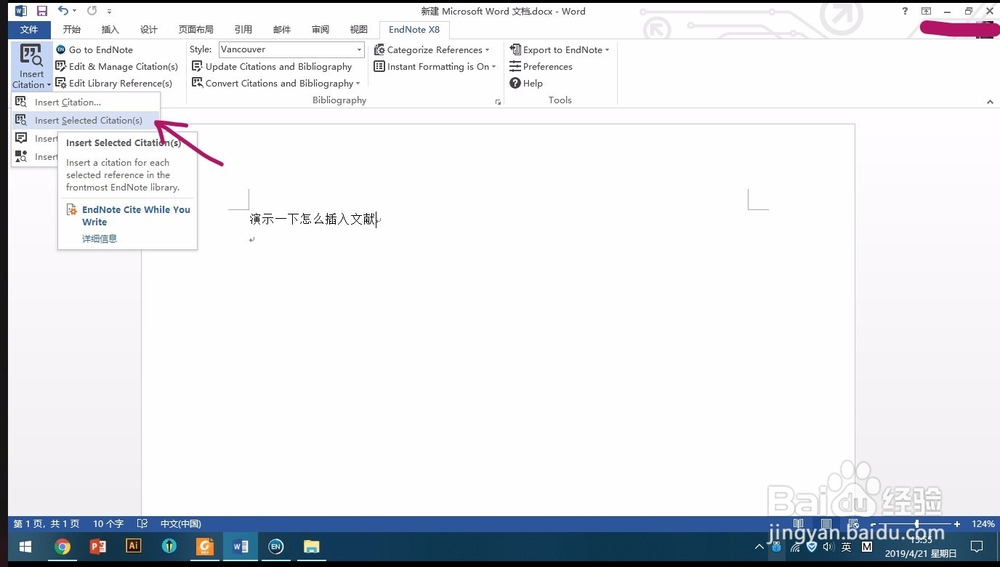
怎么在word文档中利用EndNote插入引用文献

怎么在word文档中利用EndNote插入引用文献

© 2026 一点知道
信息来自网络 所有数据仅供参考
有疑问请联系站长 site.kefu@gmail.com