1、新建拓扑图。
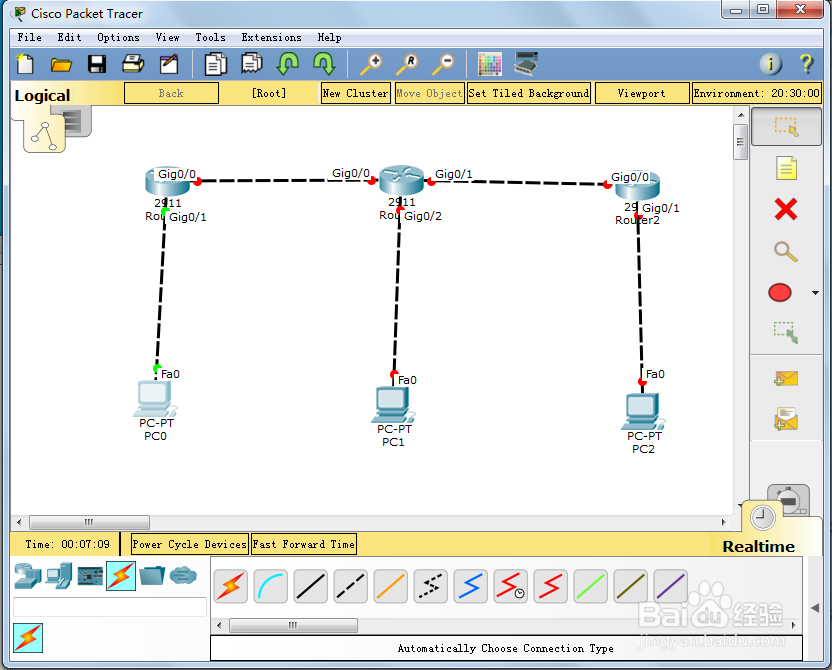
2、ip规划:
pc0:192.168.10.2/24
pc1:192.168.20.2/24
pc2:192.168.30.2/24
router0 gig0/0:10.1.1.1/24
router0 gig0/1:192.168.10.1/24
router1 gig0/0:10.1.1.2/24
router1 gig0/1:10.1.2.1/24
router1 gig0/1:192.168.20.1/24
router2 gig0/0:10.1.2.1/24
router2 gig0/1:192.168.30.1/24
3、配置router0的接口:
configure terminal
interface gigabitEthernet 0/1
ip address 192.168.10.1 255.255.255.0
no shutdown
exit
interface gigabitEthernet 0/0
ip address 10.1.1.1 255.255.255.0
no shutdown
exit
do show ip interface brief
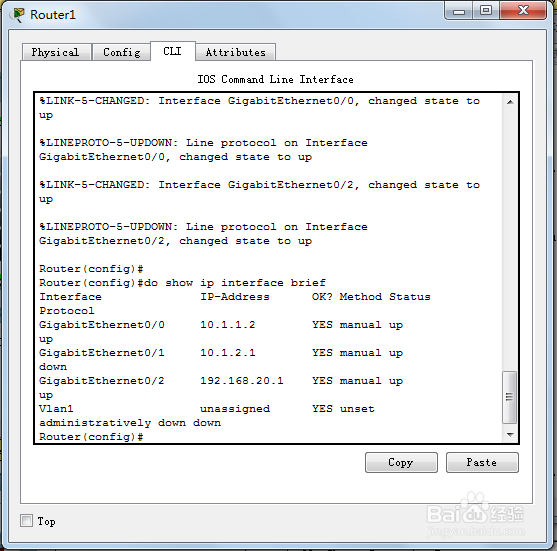
4、配置router1的ip地址:
configure terminal
interface gigabitEthernet 0/1
ip address 10.1.2.1 255.255.255.0
no shutdown
exit
interface gigabitEthernet 0/0
ip address 10.1.1.2 255.255.255.0
no shutdown
exit
interface gigabitEthernet 0/2
ip address 192.168.20.1 255.255.255.0
no shutdown
exit
do show ip interface brief
5、配置router2的ip地址:
configure terminal
interface gigabitEthernet 0/0
ip address 10.1.2.2 255.255.255.0
no shutdown
exit
interface gigabitEthernet 0/1
ip address 192.168.30.1 255.255.255.0
no shutdown
exit
6、配置个路由的ospf协议:
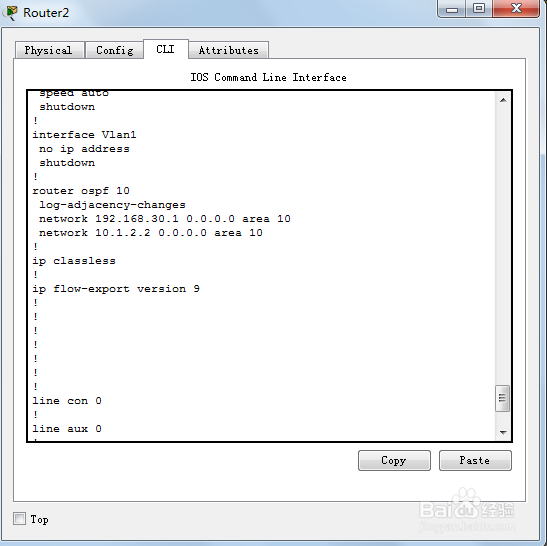
router2的:
router ospf 10
network 192.168.30.1 0.0.0.0 area 10
network 10.1.2.2 0.0.0.0 area 10
exit
exit
show running-config
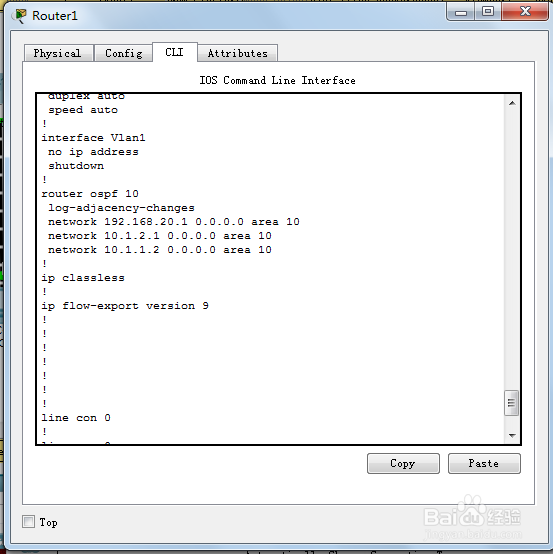
router1的:
router ospf 10
network 192.168.20.1 0.0.0.0 area 10
network 10.1.2.1 0.0.0.0 area 10
network 10.1.1.2 0.0.0.0 area 10
exit
exit
show running-config
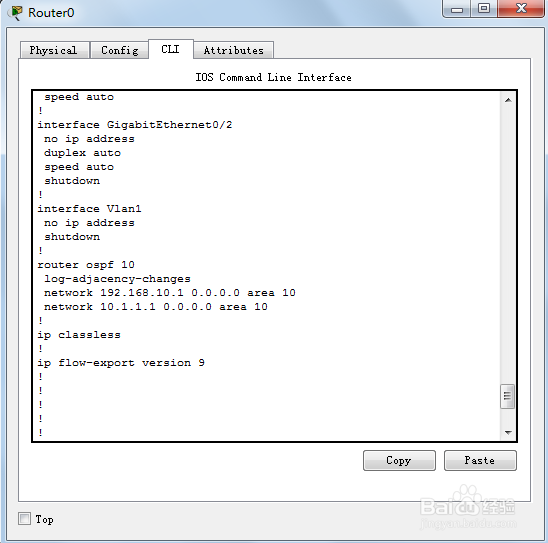
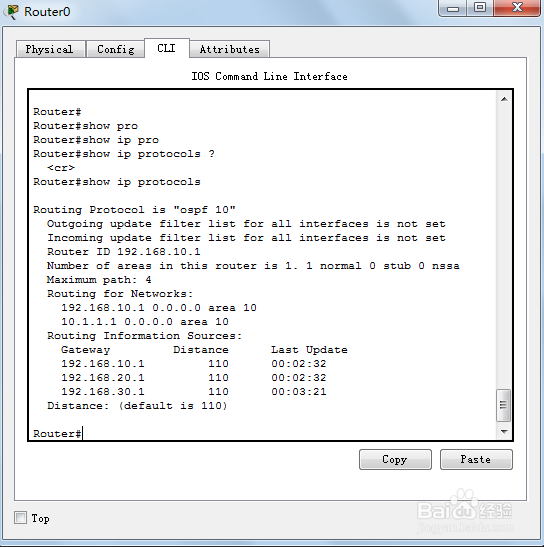
router0的:
router ospf 10
network 192.168.10.1 0.0.0.0 area 10
network 10.1.1.1 0.0.0.0 area 10
exit
exit
show running-config
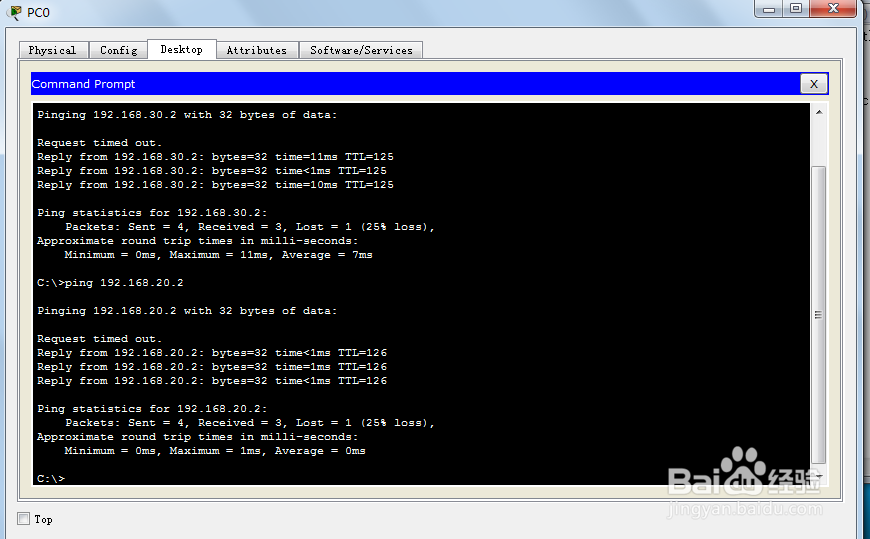
7、在pc0上进行验证:
ping 192.168.20.2
ping 192.168.30.2