windows10微软商店打不开怎么办?

时间:2026-02-12 12:33:20

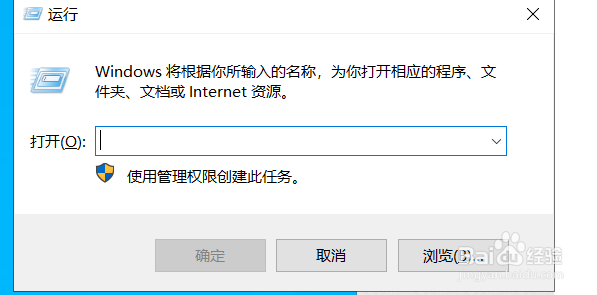
1、打开运行窗口。快捷键win+R

windows10微软商店打不开怎么办?

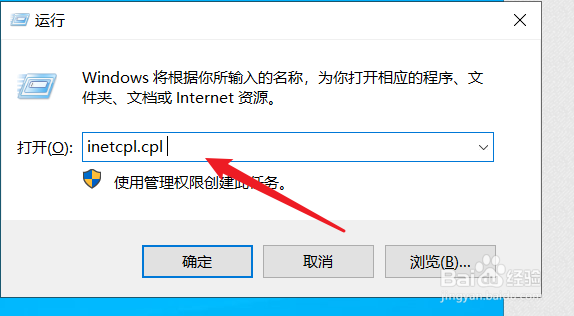
2、在弹出的运行窗口中输入【inetcpl.cpl 】 

windows10微软商店打不开怎么办?

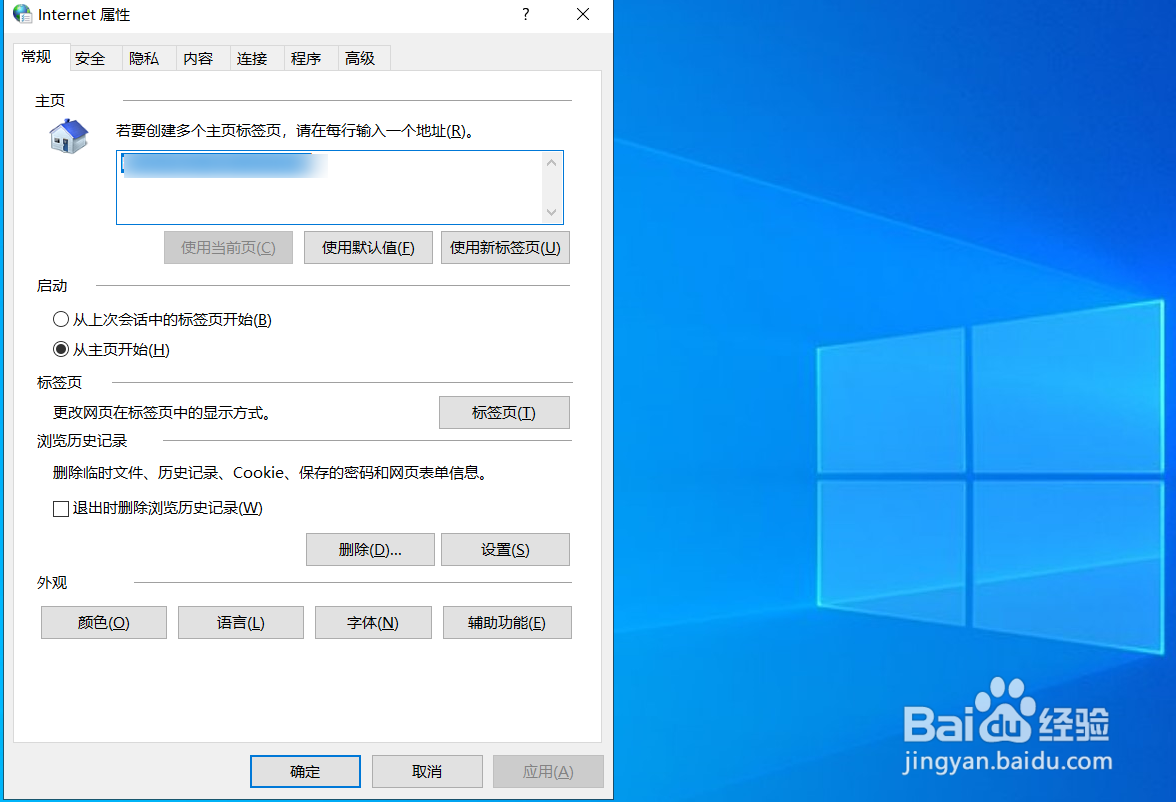
3、弹出Internet属性

windows10微软商店打不开怎么办?

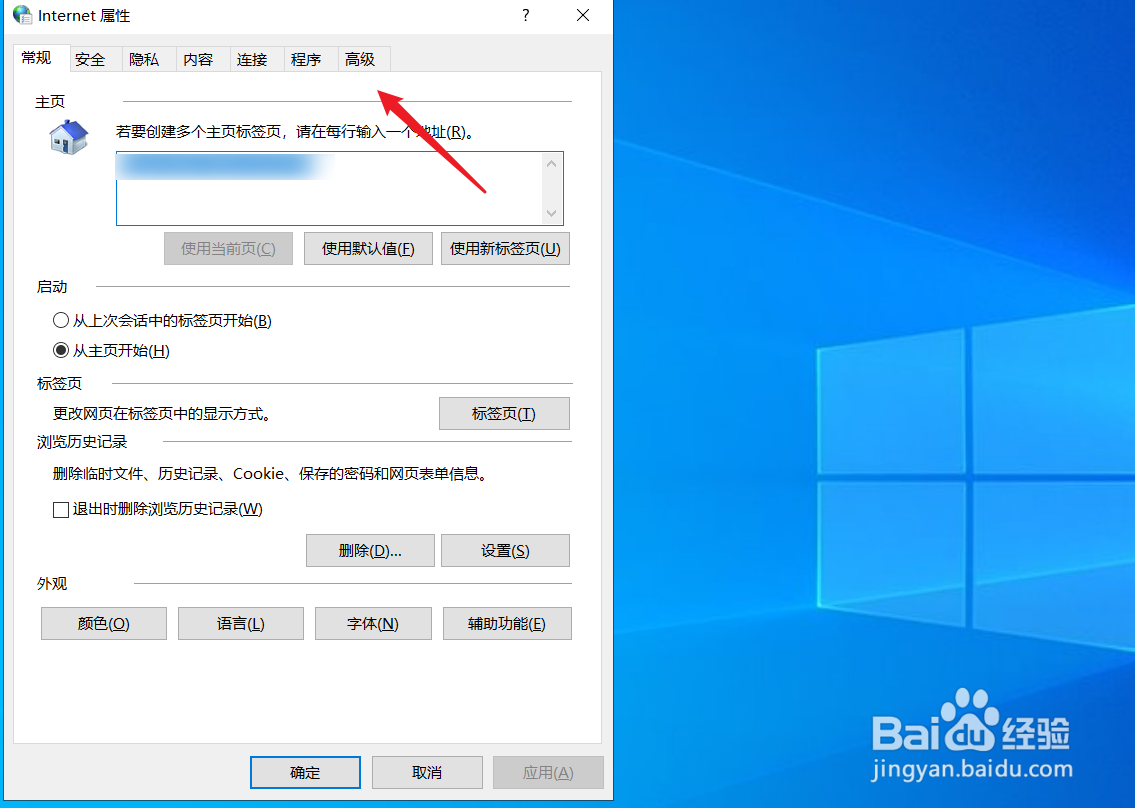
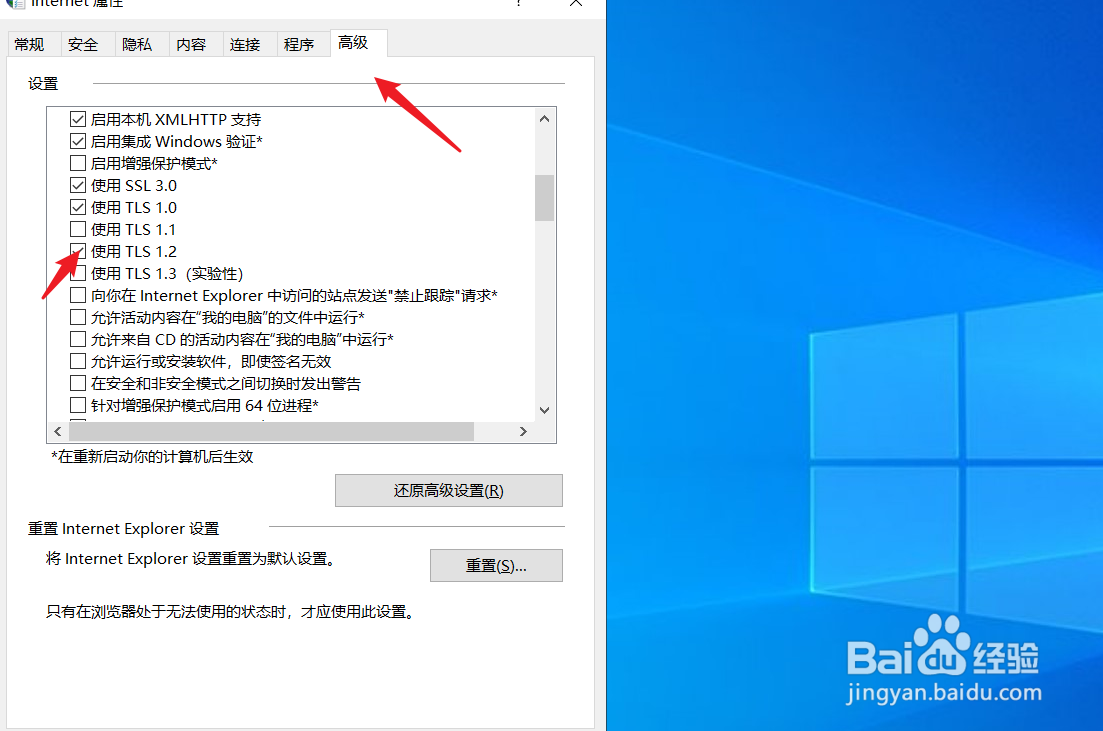
4、点击高级选项

windows10微软商店打不开怎么办?

5、找到使用TLS1.2协议,勾选

windows10微软商店打不开怎么办?

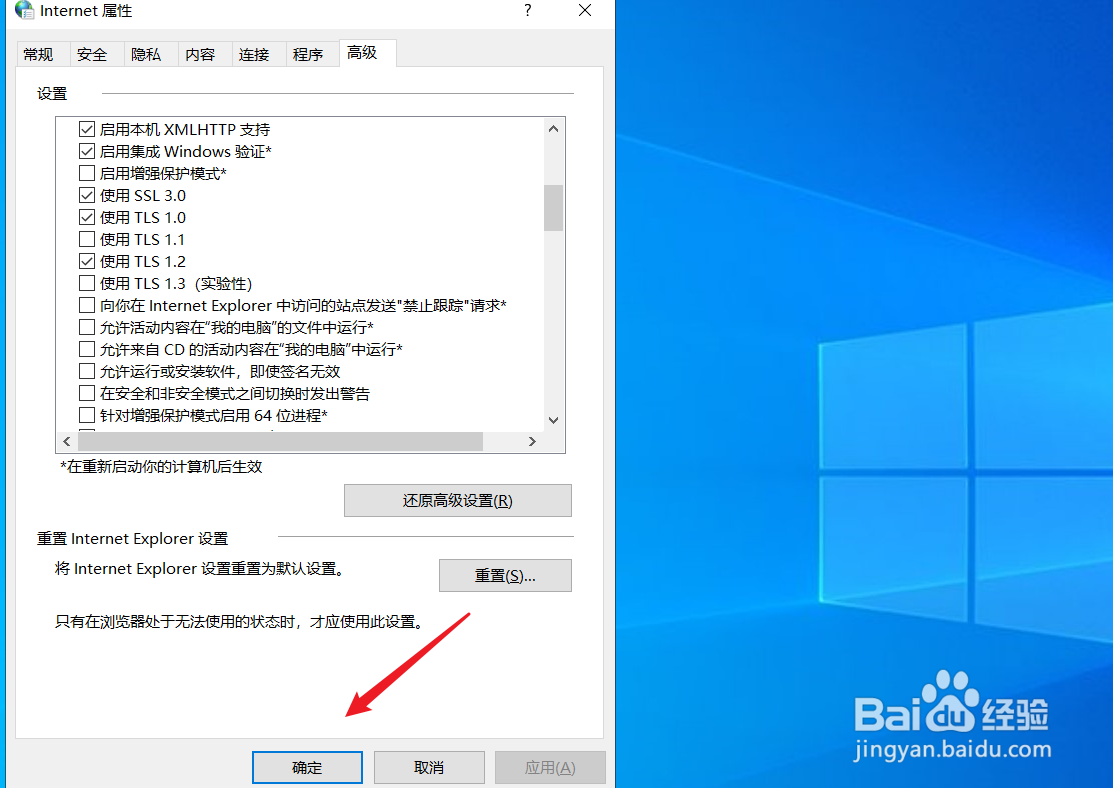
6、点击确定按钮,完成后重启电脑即可

windows10微软商店打不开怎么办?

© 2026 一点知道
信息来自网络 所有数据仅供参考
有疑问请联系站长 site.kefu@gmail.com