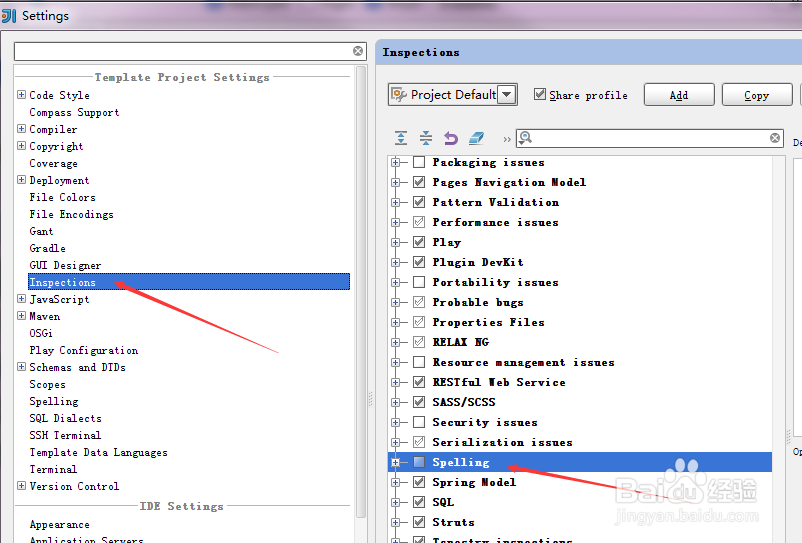
1、取消拼写检查,打开 Settings->Inspection,取消“Spelling“,然后“Apply”
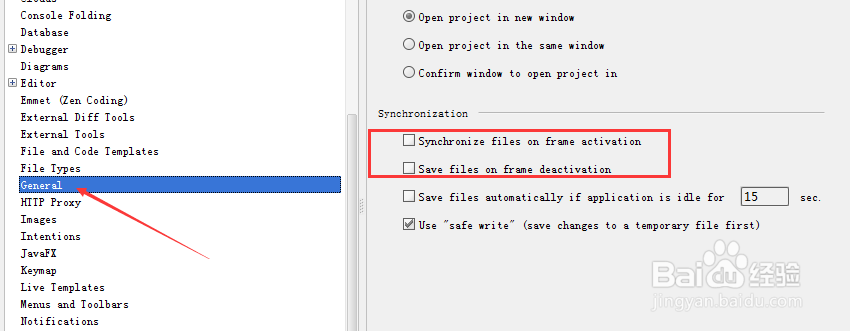
2、关闭自动保存,打开 Settings-General,反选“Synchronize file on frame activation”和“Savefiles on frame deactivation”,然后”Apply“。
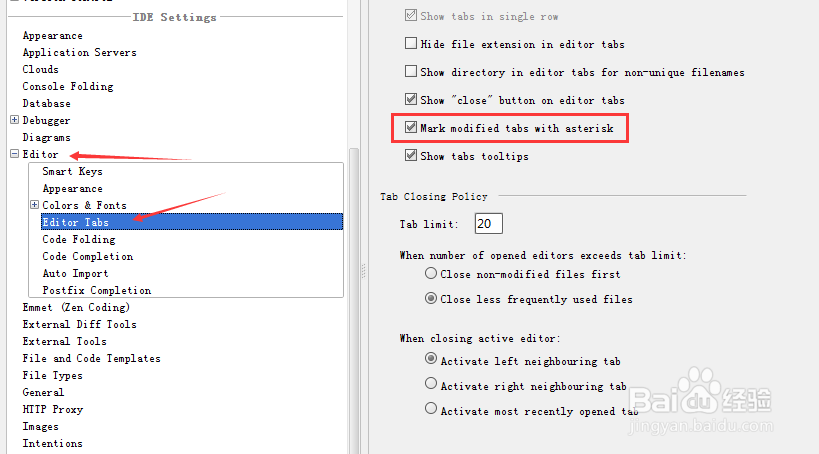
3、修改未保存的显示星号,打开 Settings-Editor->Editor Tabs, 勾上“Mark modified tabs with asterisk”。
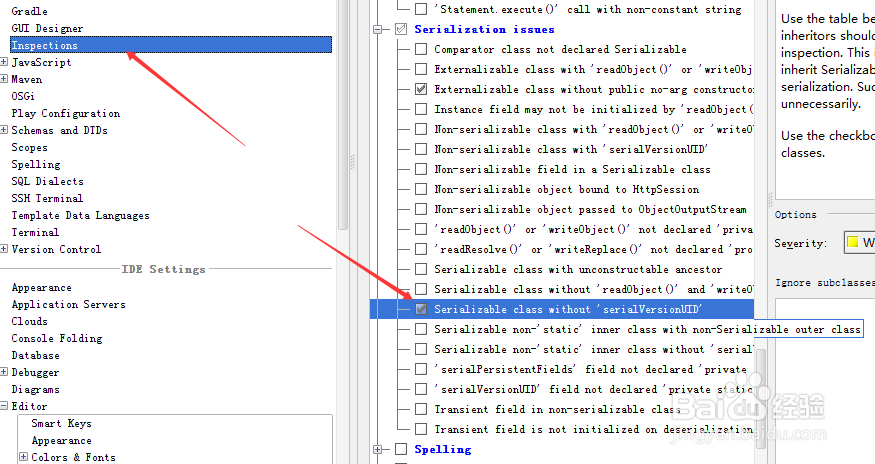
4、开启序列化 serialVersionUID 检测,打开 Settings->Inspections,勾选”Serializable class without serialVersionUID“,然后”Apply“。
5、修改文件的编码,打开 Settings->File Encoding,设置 Properties File的编码为 UTF-8,并勾上“Transparent native-to-ascii conversion”,然后”Apply“。

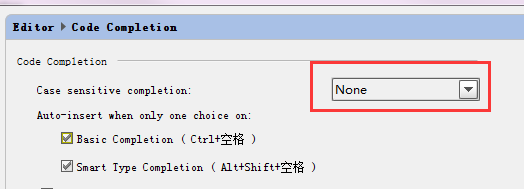
6、代码提示不区分大小写,打开 Settings->Editor->Code Completion,将”Case sensitivecompletion”设置为 None。然后”Apply“。
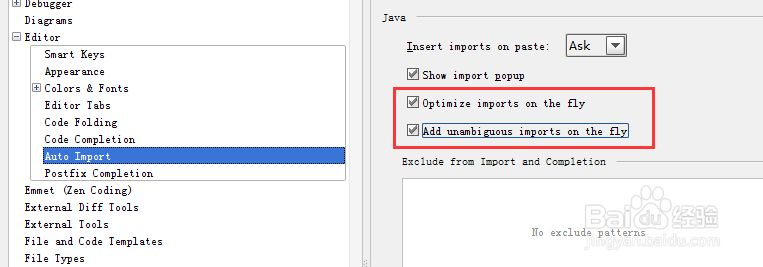
7、自动 import 类型,打开 Settings->Editor->Auto Import,勾上“Optimize imports on the fly”和“Add unambiguous imports on the fly”。然后”Apply“。