1、启动ENVI软件

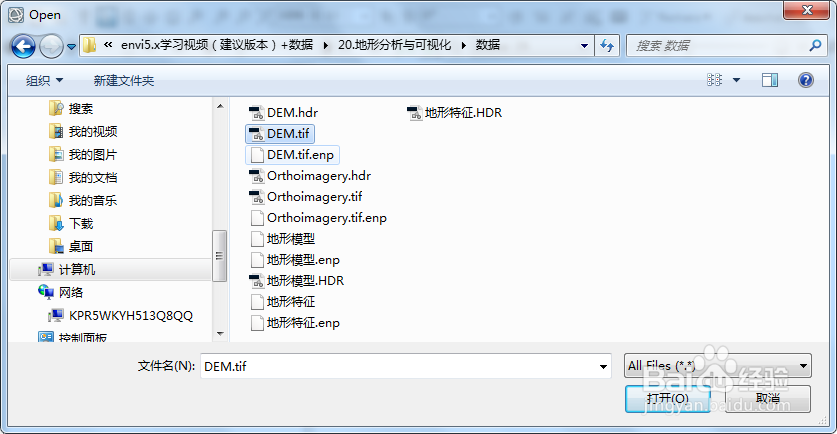
2、打开DEM数据,file/open

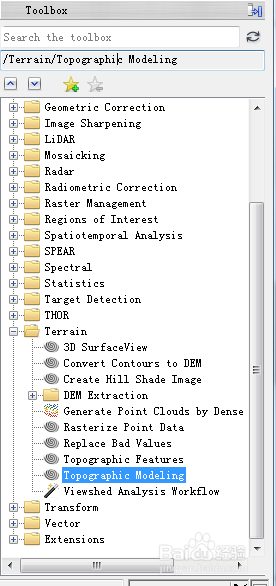
3、在ENVI软件界面右侧Toolbox中找到地形模型工具:Terrain/Topographic Modeling
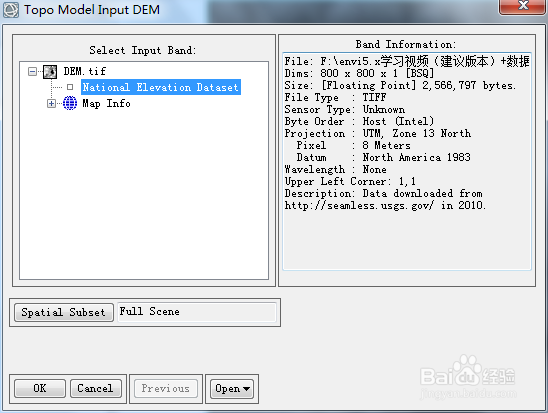
4、双击Topographic Modeling,在弹出的对话框选择数据
5、点击OK,在弹出的对话框点击计算太阳高度角和方位角
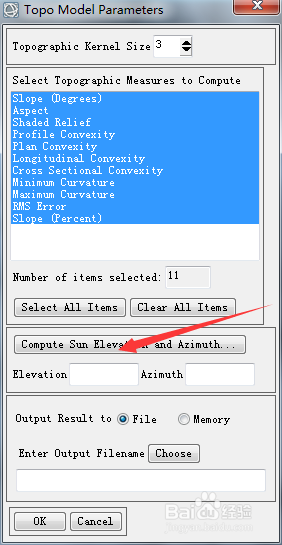

6、点击OK,设置输出路径
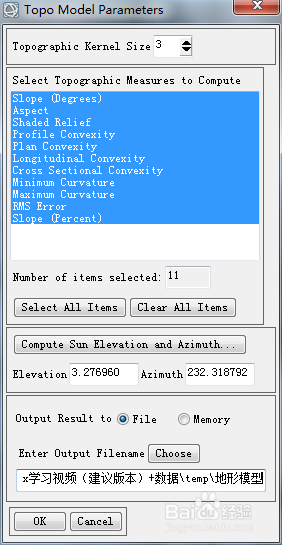
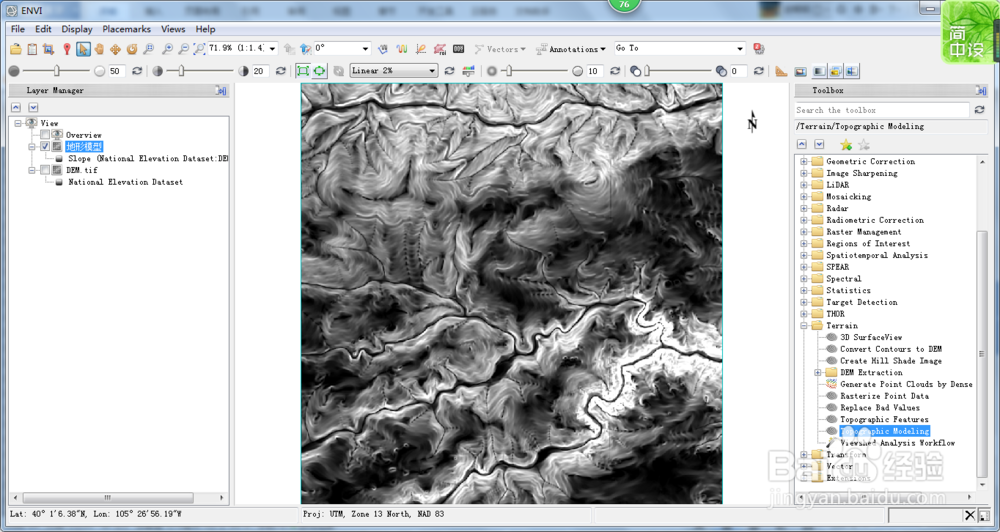
7、点击OK,进行分析并显示结果


1、启动ENVI软件
2、打开DEM数据,file/open
3、在ENVI软件界面右侧Toolbox中找到地形模型工具:Terrain/Topographic Modeling
4、双击Topographic Modeling,在弹出的对话框选择数据
5、点击OK,在弹出的对话框点击计算太阳高度角和方位角
6、点击OK,设置输出路径
7、点击OK,进行分析并显示结果