夸克怎么开启发送do not track请求

时间:2026-02-17 03:57:17

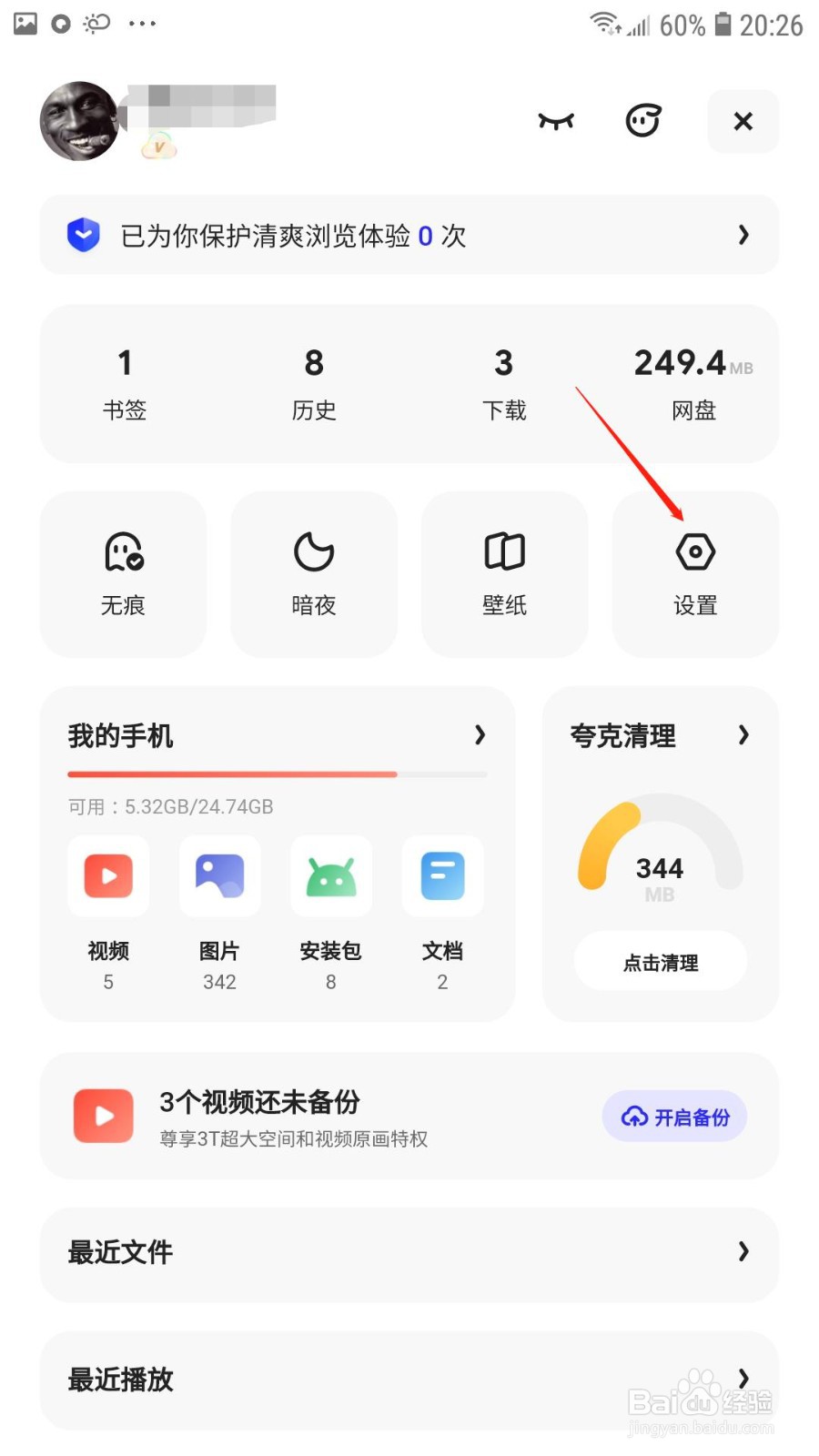
1、点击设置

打开夸克APP,在我的页面点击设置选项;

夸克怎么开启发送do not track请求

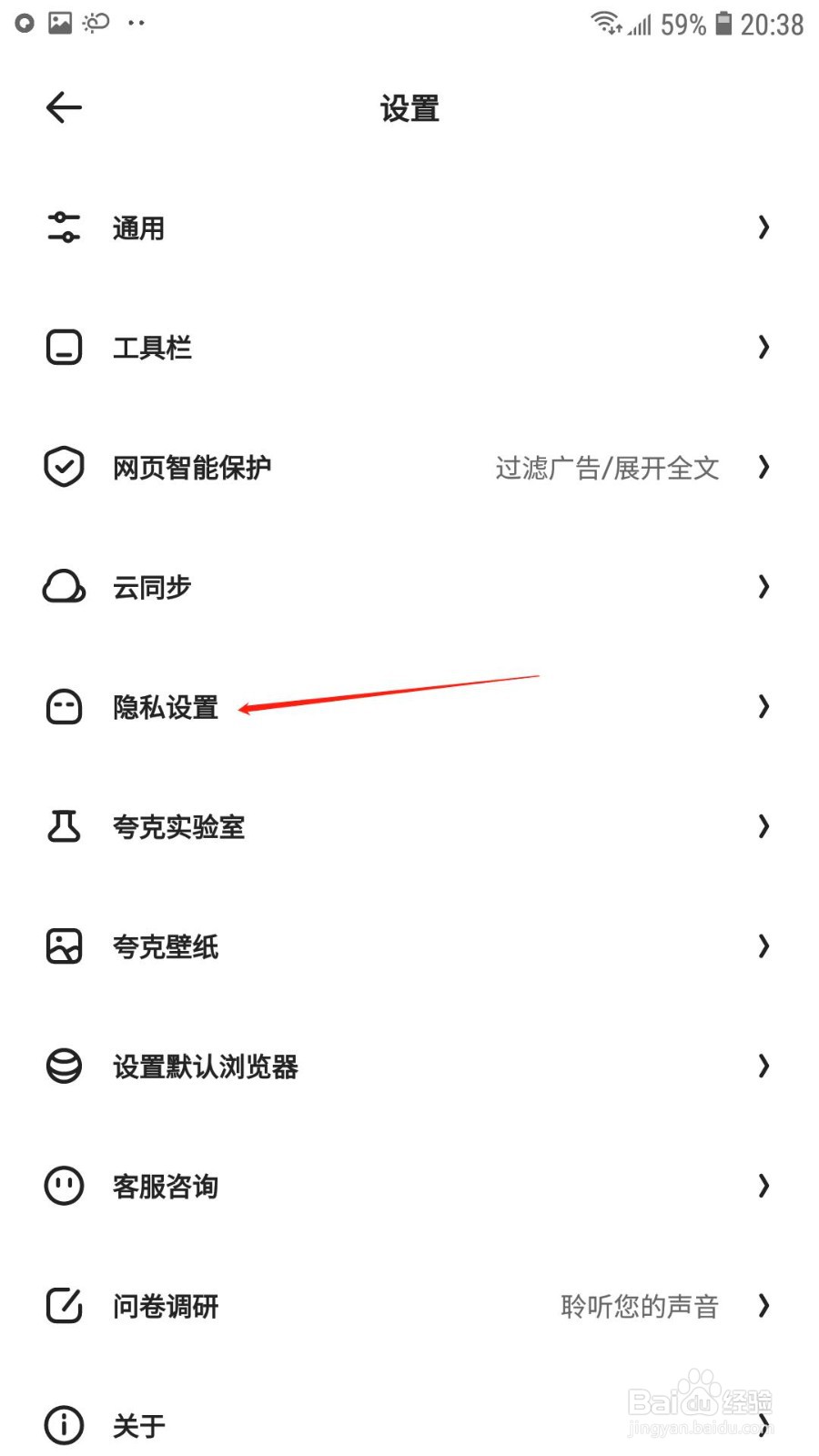
2、点击隐私设置

进入设置页面后,点击隐私设置选项;

夸克怎么开启发送do not track请求

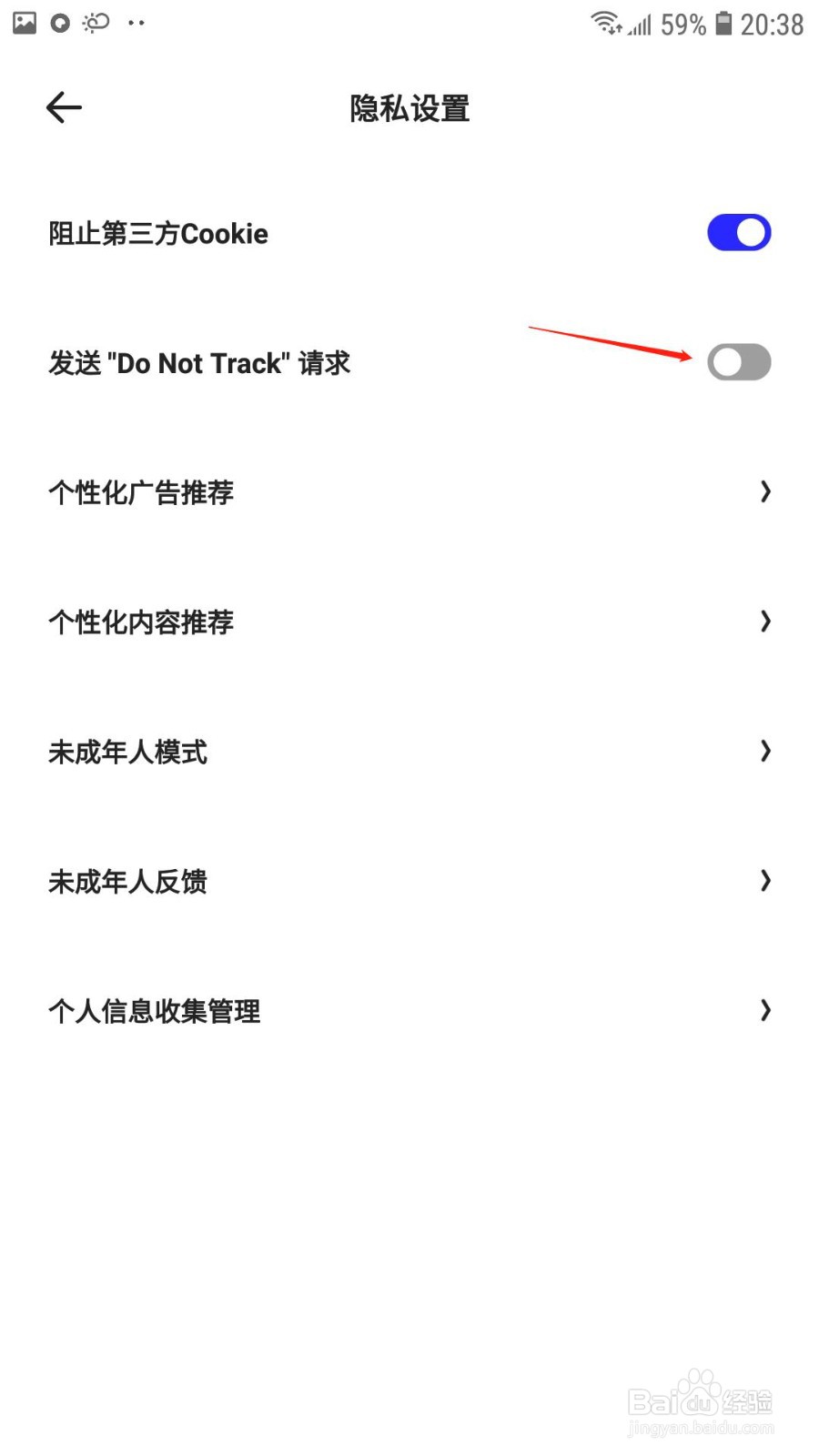
3、开启“发送do not track”

在隐私设置页面,开启“发送do not track”后的开关即可。
夸克怎么开启发送do not track请求

© 2026 一点知道
信息来自网络 所有数据仅供参考
有疑问请联系站长 site.kefu@gmail.com