powerpoint中如何插入日期和时间?

时间:2026-02-14 21:29:17

1、打开powerpoint文档。

powerpoint中如何插入日期和时间?

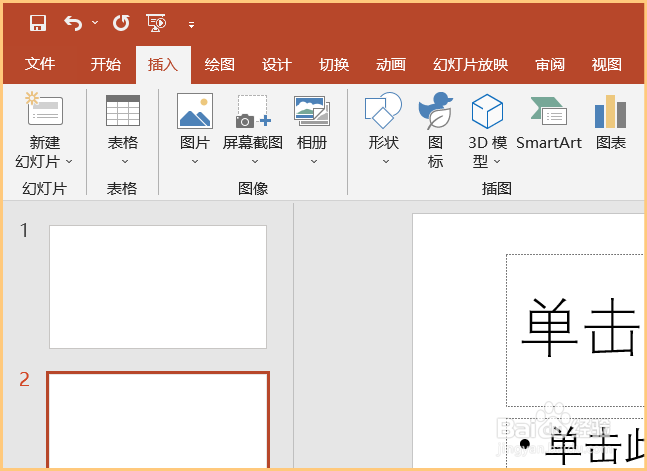
2、在powerpoint文档上方的菜单中选择插入。

powerpoint中如何插入日期和时间?

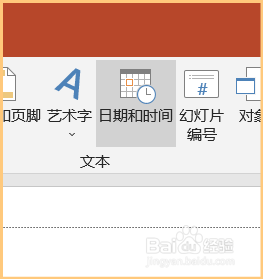
3、在插入下的菜单里点击日期和时间图标。

powerpoint中如何插入日期和时间?

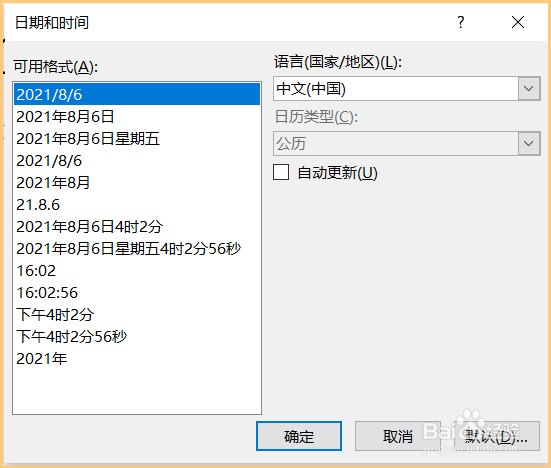
4、在弹出的对话框中选择时间样式,点击确定。

powerpoint中如何插入日期和时间?

5、日期和时间就插入页面了。

powerpoint中如何插入日期和时间?

© 2026 一点知道
信息来自网络 所有数据仅供参考
有疑问请联系站长 site.kefu@gmail.com