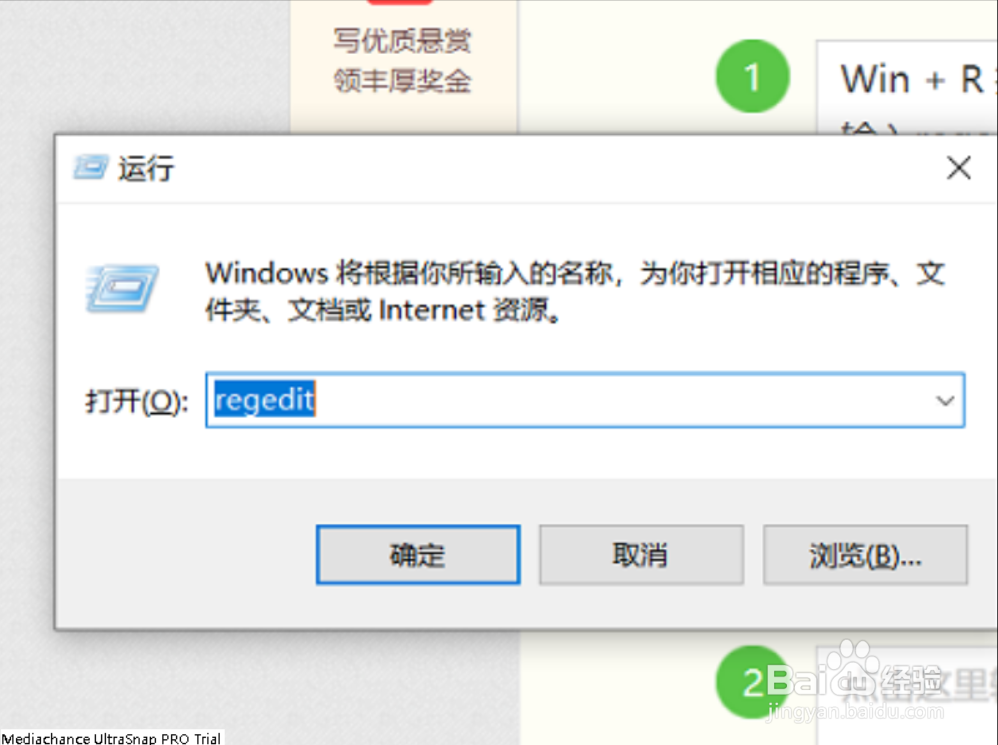
1、Win + R 打开“运行”
输入regedit
确定
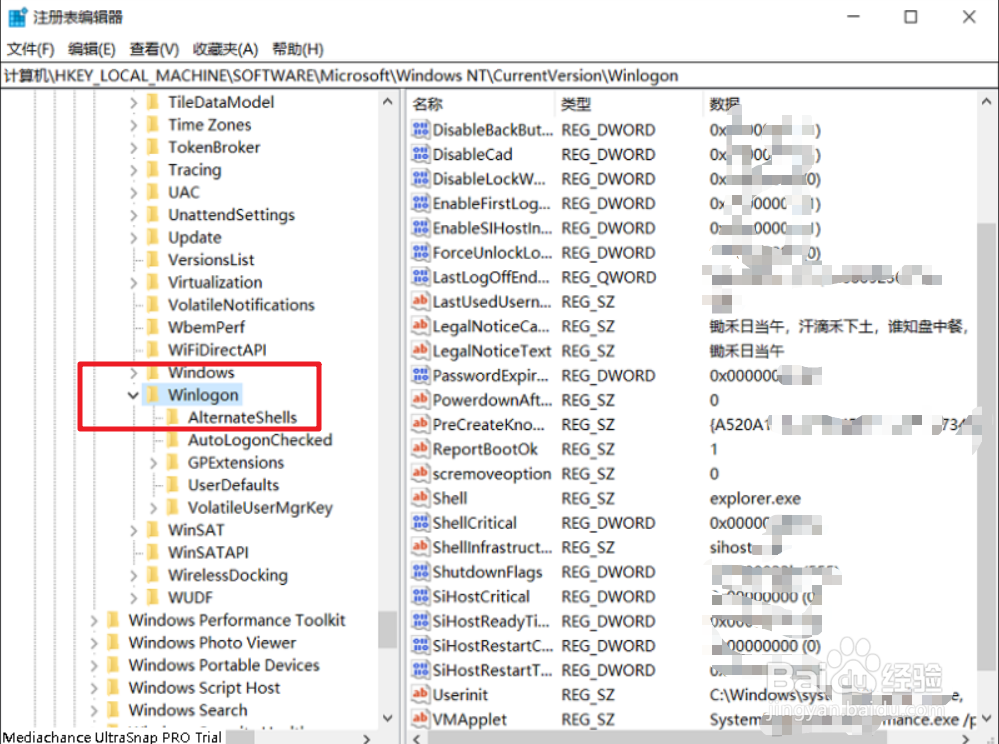
2、在注册表编辑器中找到以下目录
计算机\HKEY_LOCAL_MACHINE\SOFTWARE\Microsoft\Windows NT\CurrentVersion\Winlogon
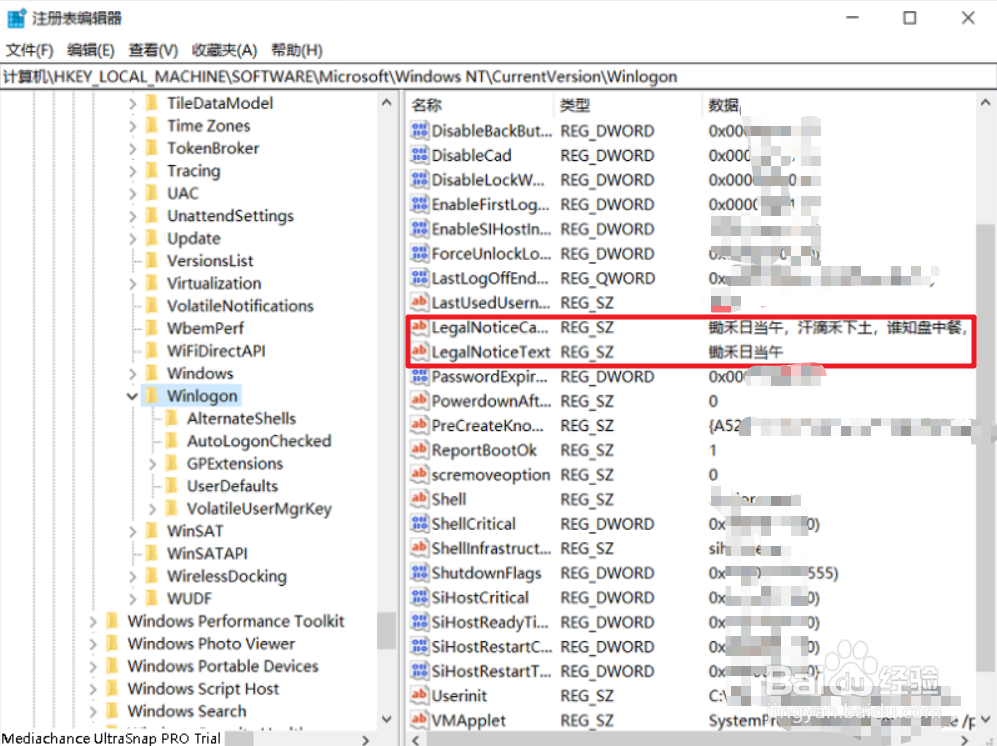
3、分别 双击右侧的LegalNoticeCaption,LegalNoticeText编辑
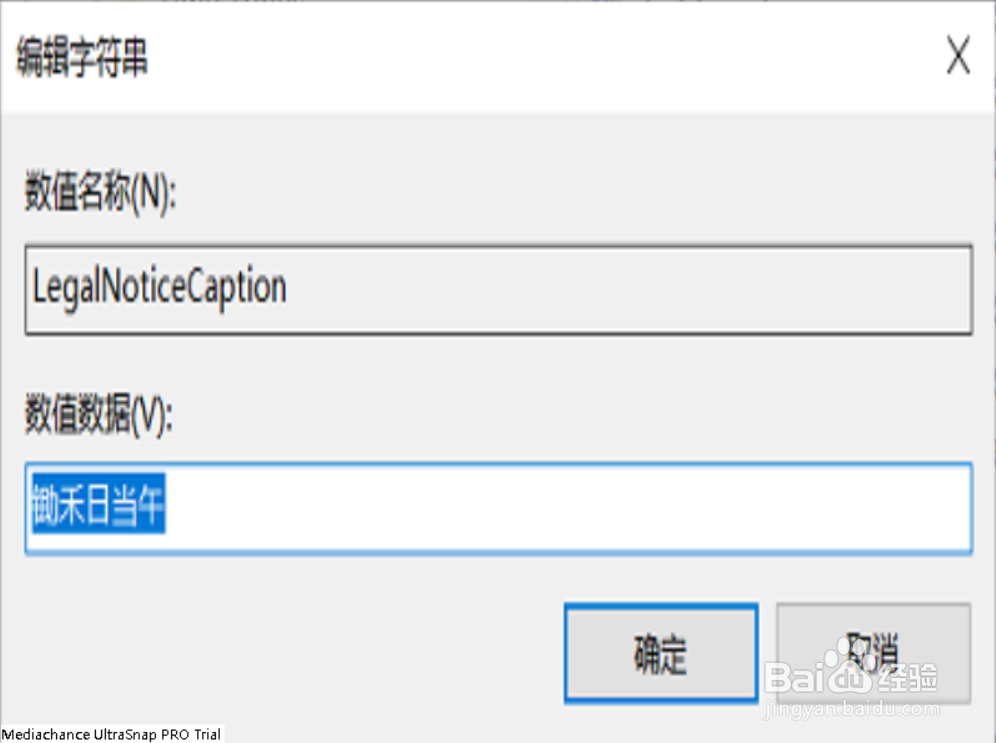
4、双击右侧的LegalNoticeCaption
编辑个签标题
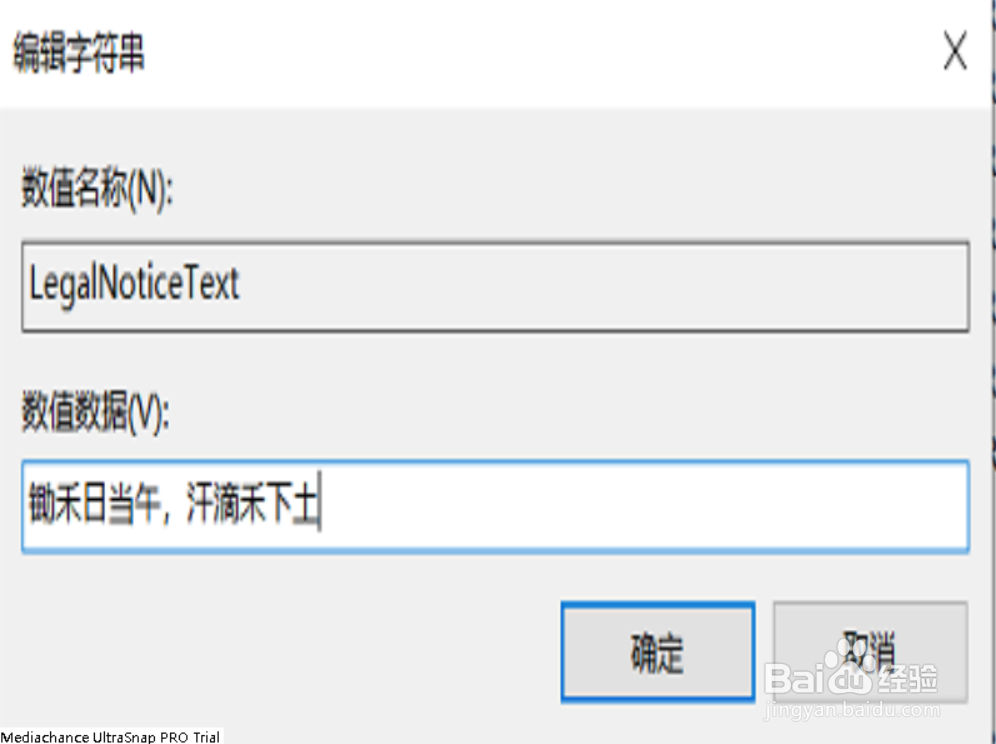
5、双击右侧的LegalNoticeText
编辑个签内容
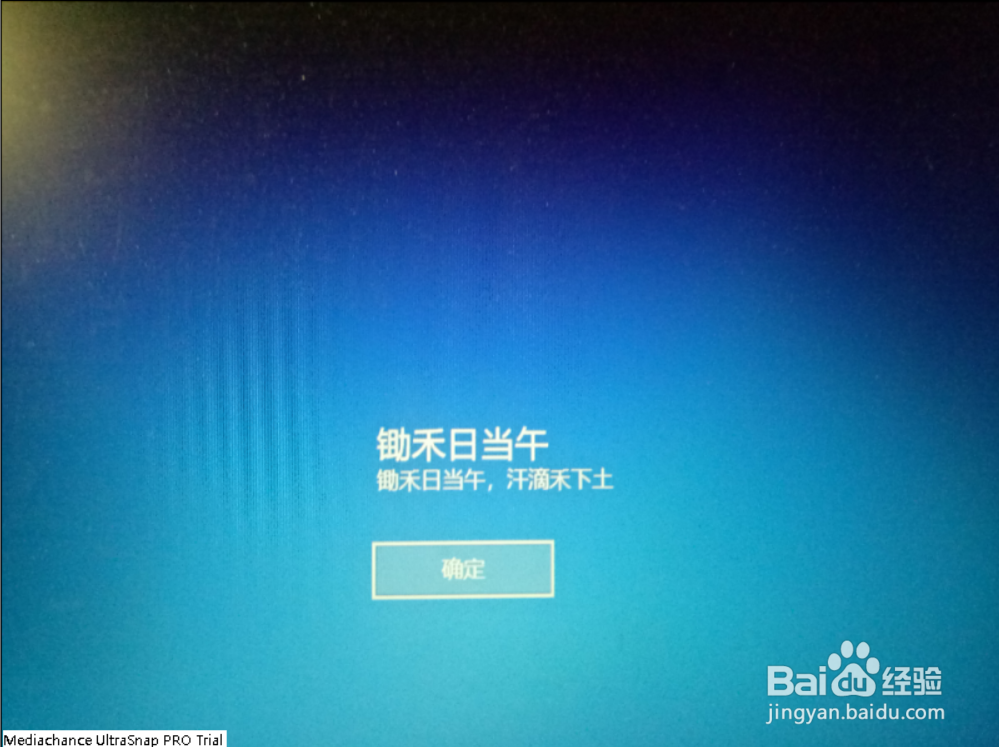
6、重启电脑,就可以看到效果
1、Win + R 打开“运行”
输入regedit
确定
2、在注册表编辑器中找到以下目录
计算机\HKEY_LOCAL_MACHINE\SOFTWARE\Microsoft\Windows NT\CurrentVersion\Winlogon
3、分别 双击右侧的LegalNoticeCaption,LegalNoticeText编辑
4、双击右侧的LegalNoticeCaption
编辑个签标题
5、双击右侧的LegalNoticeText
编辑个签内容
6、重启电脑,就可以看到效果