1、新建excel,双击打开。点击开发工具“VB”,进入工作界面,插入一个模块。
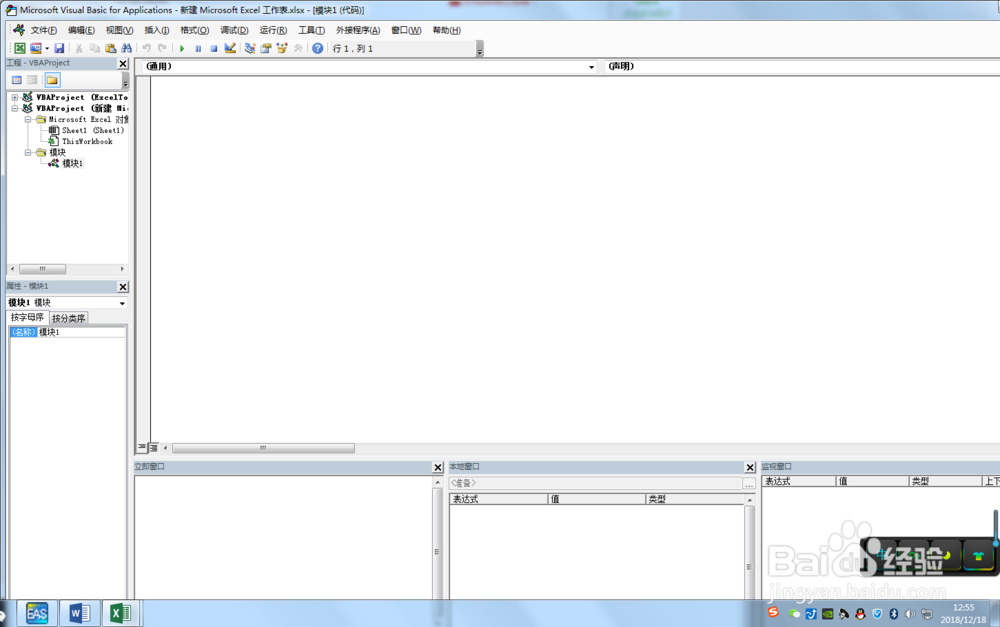
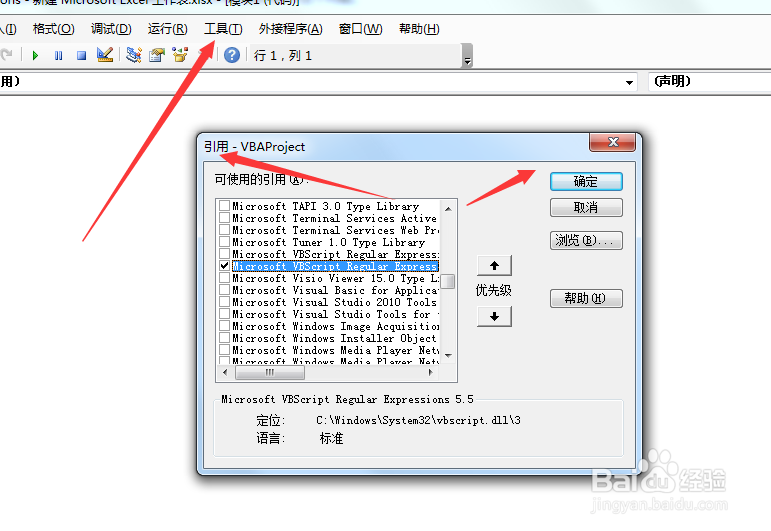
2、选择“工具/引用”菜单,选择“Microsoft VBScript Regular Express”;
3、在通用窗口输入代码:
Function SumValueInText(TargetRange As Range) As Double
Dim mRegExp As RegExp
Dim mMatches As MatchCollection '匹配字符串集合对象
Dim mMatch As Match '匹配字符串
Set mRegExp = New RegExp
With mRegExp
.Global = True 'True表示匹配所有, False表示仅匹配第一个符合项
.IgnoreCase = True 'True表示不区分大小写, False表示区分大小写
.Pattern = "([0-9])?[.]([0-9])+|([0-9])+" '匹配字符模式
Set mMatches = .Execute(TargetRange.Text) '执行正则查找,返回所有匹配结果的集合,若未找到,则为空
For Each mMatch In mMatches
SumValueInText = SumValueInText + CDbl(mMatch.Value)
Next
End With
Set mRegExp = Nothing
Set mMatches = Nothing
End Function
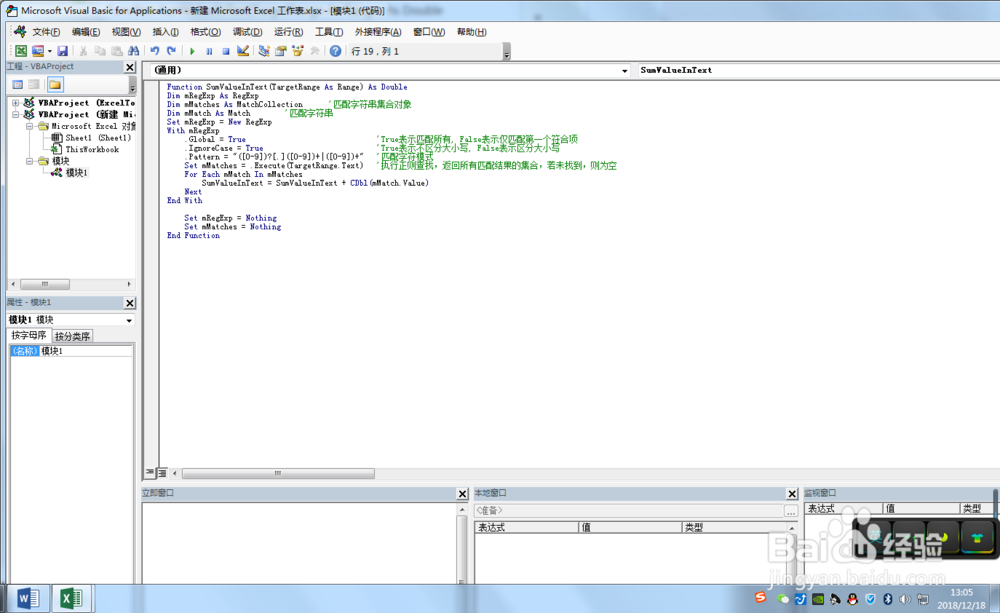
4、保存我们的代码。这样就定义了一个SumValueInText的函数,可以运用于我们的表格之中。
5、接下来我们在表格中进行测试一下。在B1单元格输入公式=SumValueInText(A1)得到了我们的值。
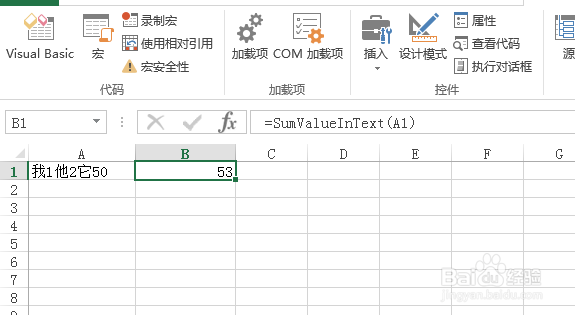
6、测试成功。