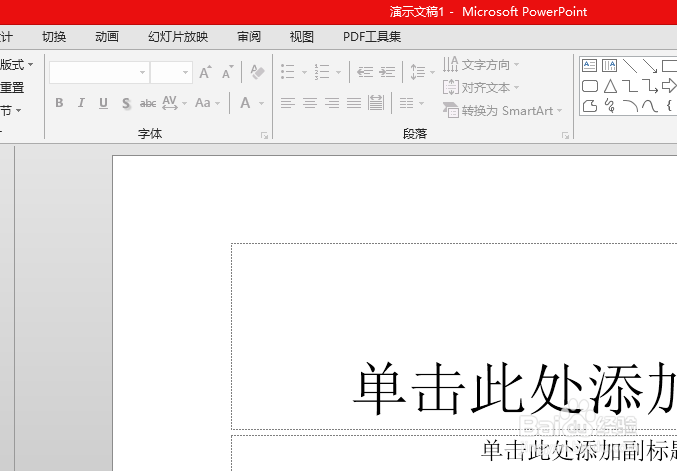
1、打开一个的PowerPoint 2013的界面中
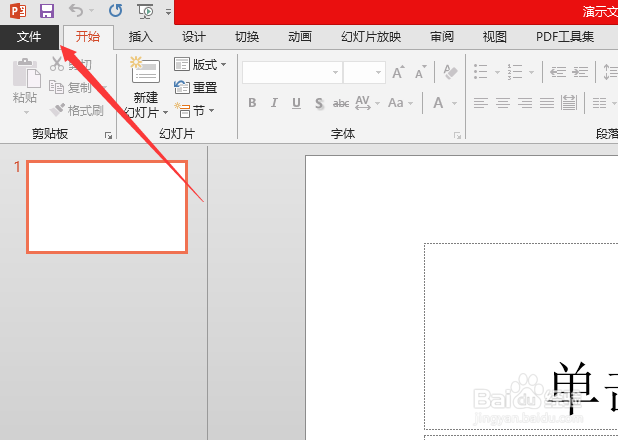
2、点击PowerPoint 2013左上角中的 文件
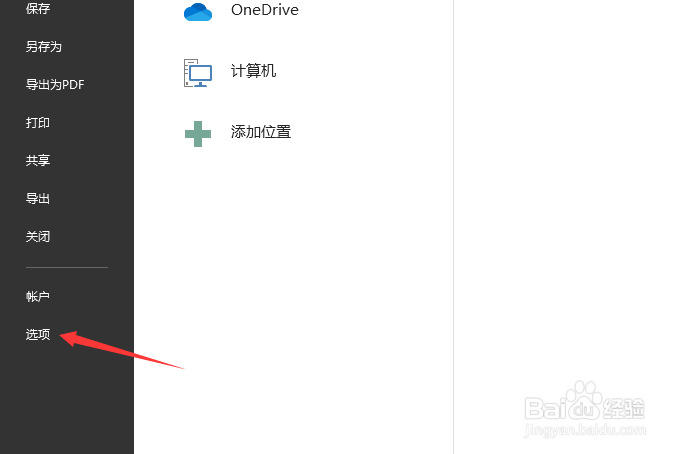
3、进入到了文件界面中,点击左侧中的 选项
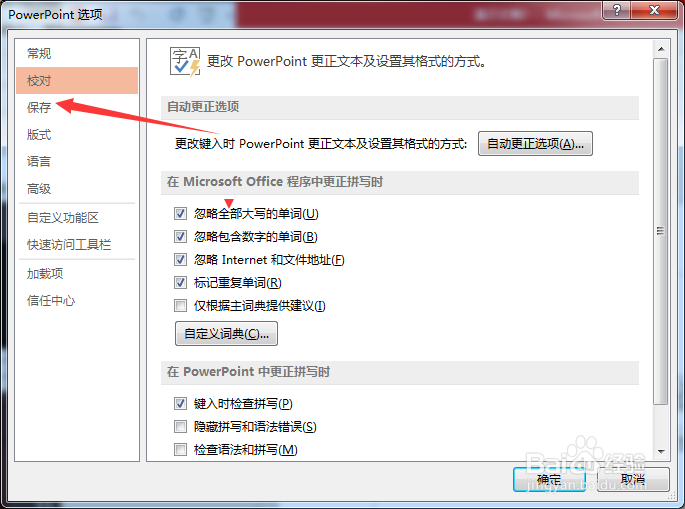
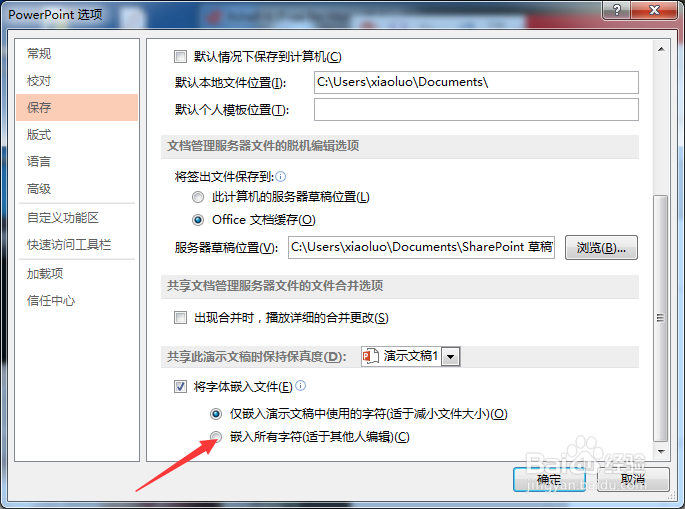
4、进入到了选项界面中,点击左侧中的 保存 选项
5、进入到了保存界面中,点击 嵌入所有字符 选项
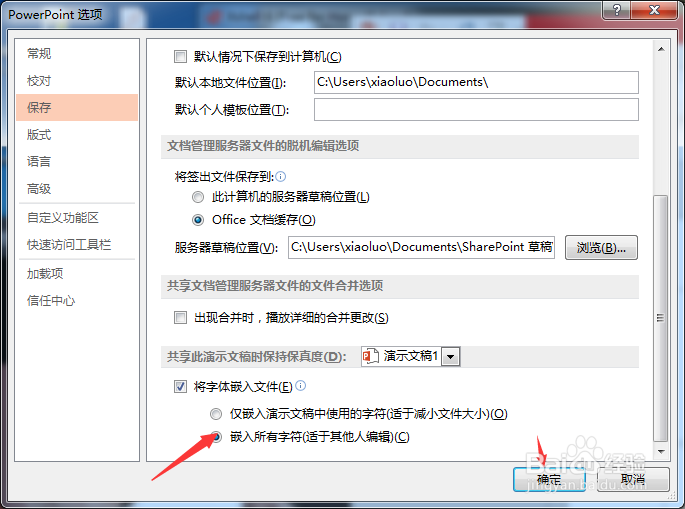
6、点击 嵌入所有字符 选项之后,点击 确定,当前中设置保存完成了
1、点击PowerPoint 2013左上角中的 文件
点击左侧中的 选项
点击左侧中的 保存 选项
点击 嵌入所有字符 选项
1、打开一个的PowerPoint 2013的界面中
2、点击PowerPoint 2013左上角中的 文件
3、进入到了文件界面中,点击左侧中的 选项
4、进入到了选项界面中,点击左侧中的 保存 选项
5、进入到了保存界面中,点击 嵌入所有字符 选项
6、点击 嵌入所有字符 选项之后,点击 确定,当前中设置保存完成了
1、点击PowerPoint 2013左上角中的 文件
点击左侧中的 选项
点击左侧中的 保存 选项
点击 嵌入所有字符 选项