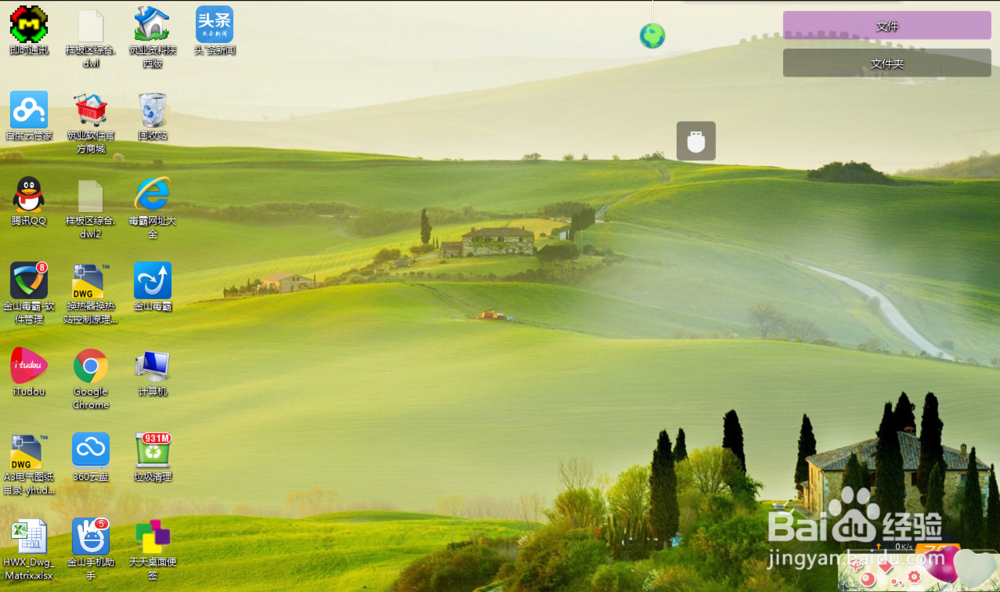
1、打开电脑
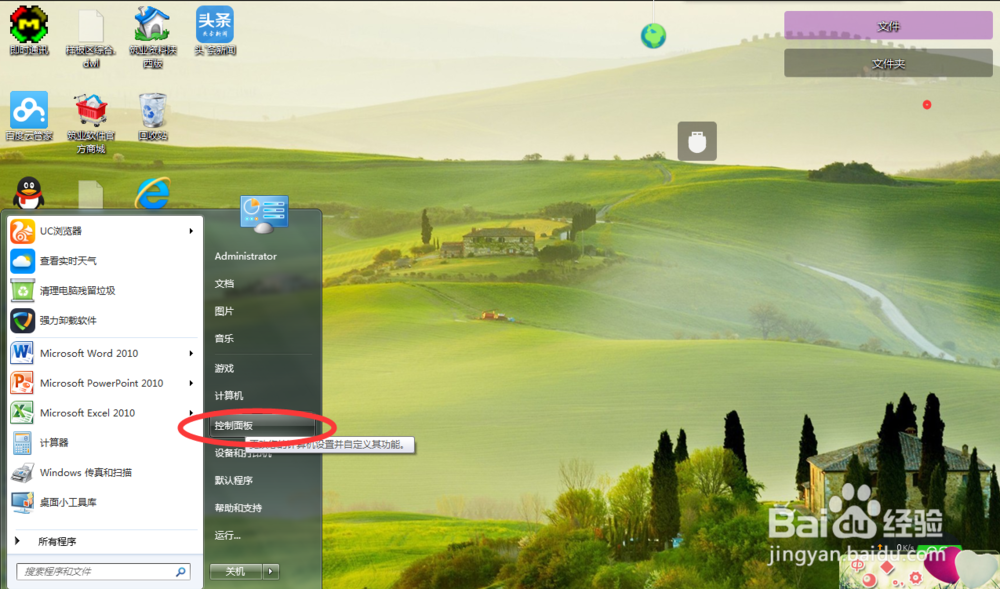
2、在开始菜单中选择控制面板选项
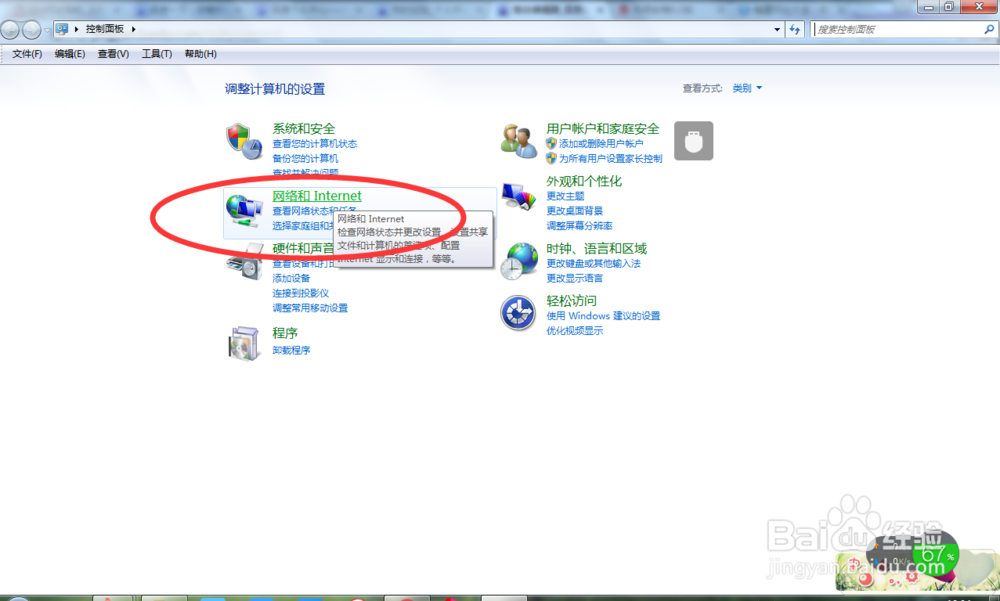
3、选择控制面板中的网络和Internet选项
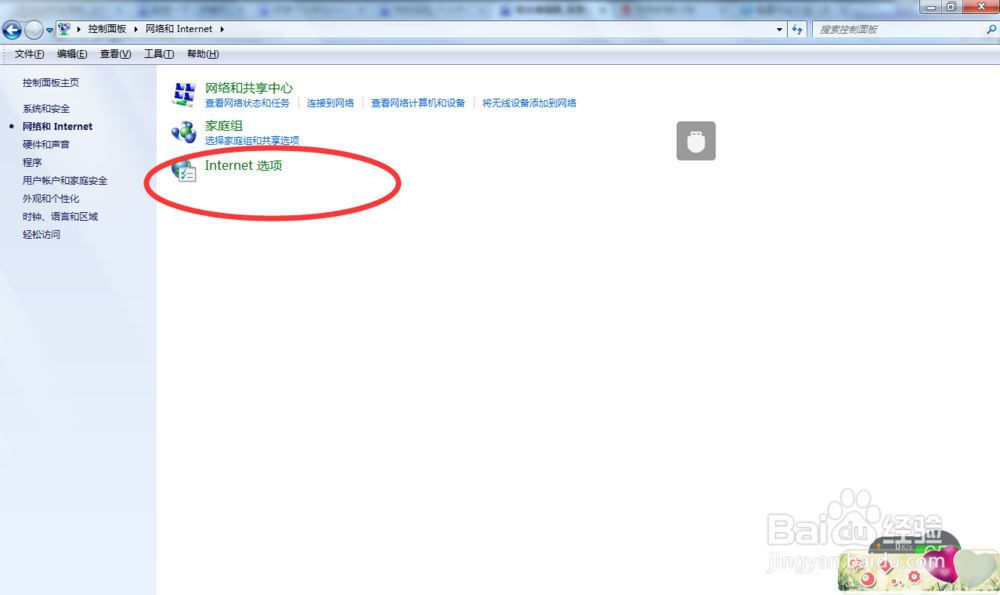
4、选择Internet选项
5、在Internet属性中选择连接选项
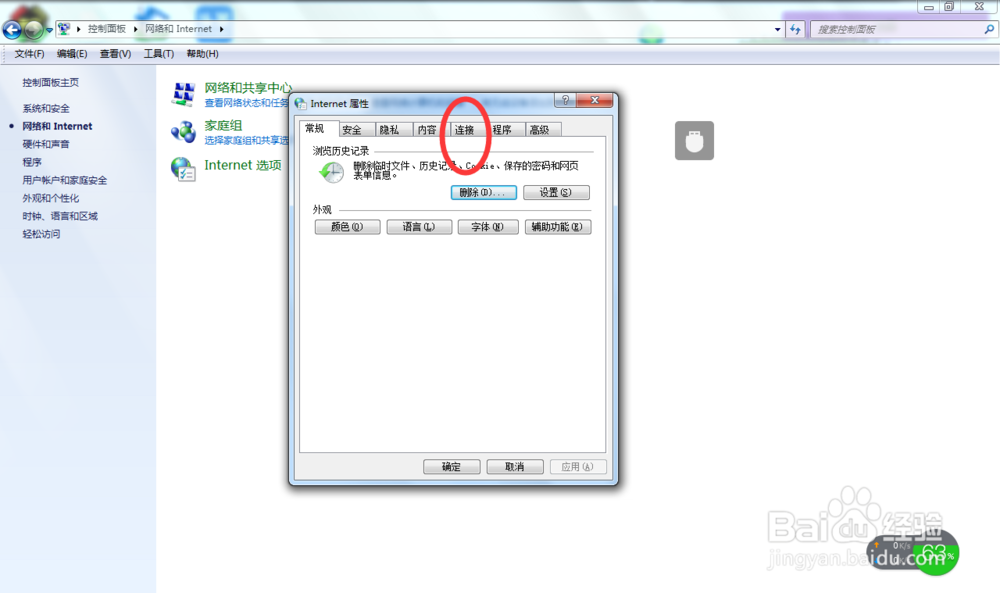
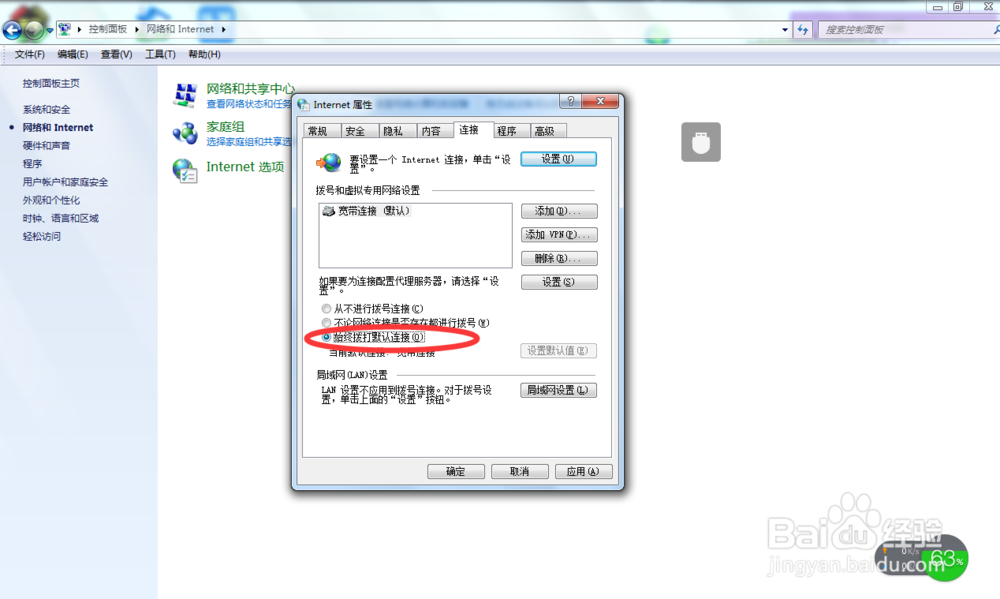
6、将始终拨打默认连接打钩
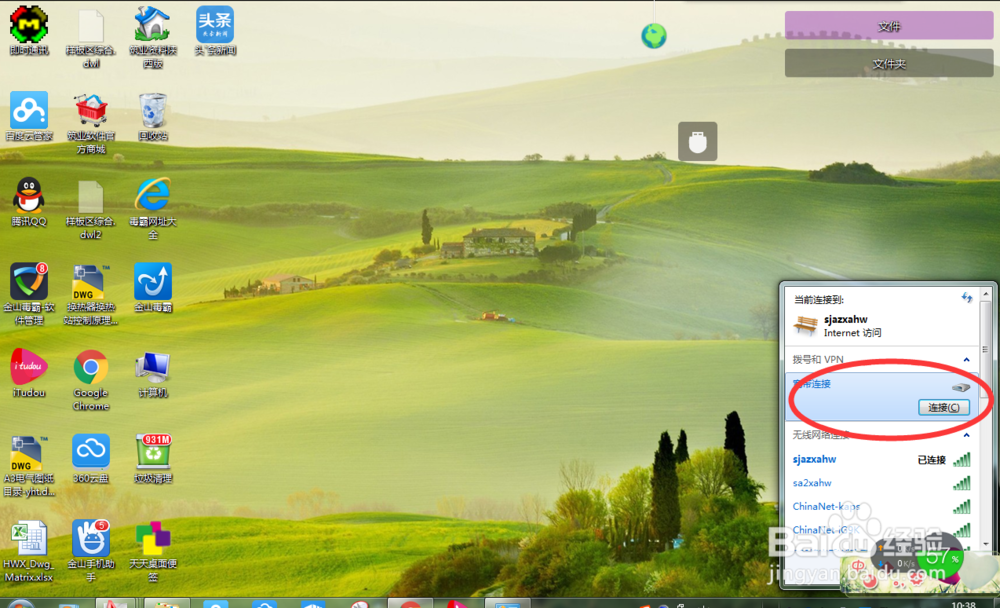
7、第二种方法:打开电脑右下角网络连接图标,右键宽带连接选择属性
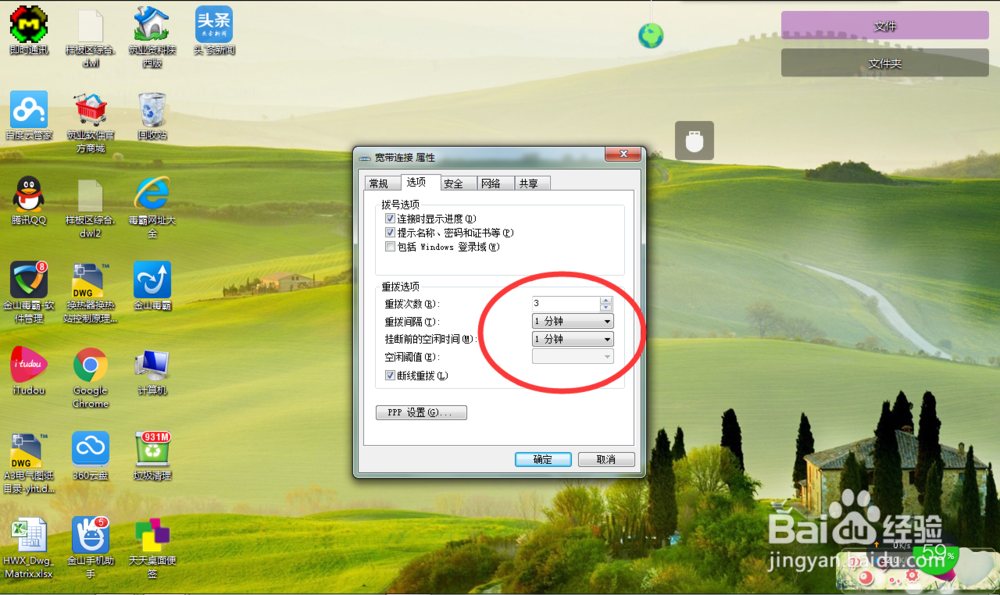
8、选择属性中的选项,设置挂断前的空闲时间,选择断线重播
1、打开电脑
2、在开始菜单中选择控制面板选项
3、选择控制面板中的网络和Internet选项
4、选择Internet选项
5、在Internet属性中选择连接选项
6、将始终拨打默认连接打钩
7、第二种方法:打开电脑右下角网络连接图标,右键宽带连接选择属性
8、选择属性中的选项,设置挂断前的空闲时间,选择断线重播