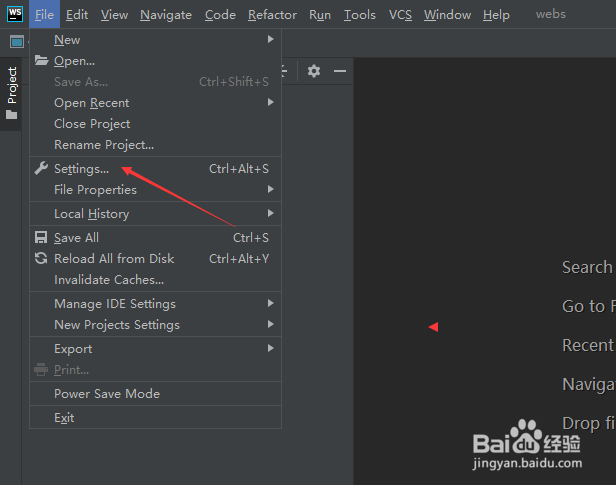
1、点击WebStorm菜单中的file菜单

2、弹出了下拉菜单选中为settings选项
3、点击左侧中git选项

4、去掉勾选上warn if crlf line separators are about to be committe选项

5、去掉勾选上warn if crlf line separators are about to be committe选项
之后,点击ok

1、点击WebStorm菜单中的file菜单
2、弹出了下拉菜单选中为settings选项
3、点击左侧中git选项
4、去掉勾选上warn if crlf line separators are about to be committe选项
5、去掉勾选上warn if crlf line separators are about to be committe选项